Answered

Stop showing me San Francisco Heatmap by default

  • August 23, 2024
  • 7 replies
  • 482 views

Forum|alt.badge.img+3

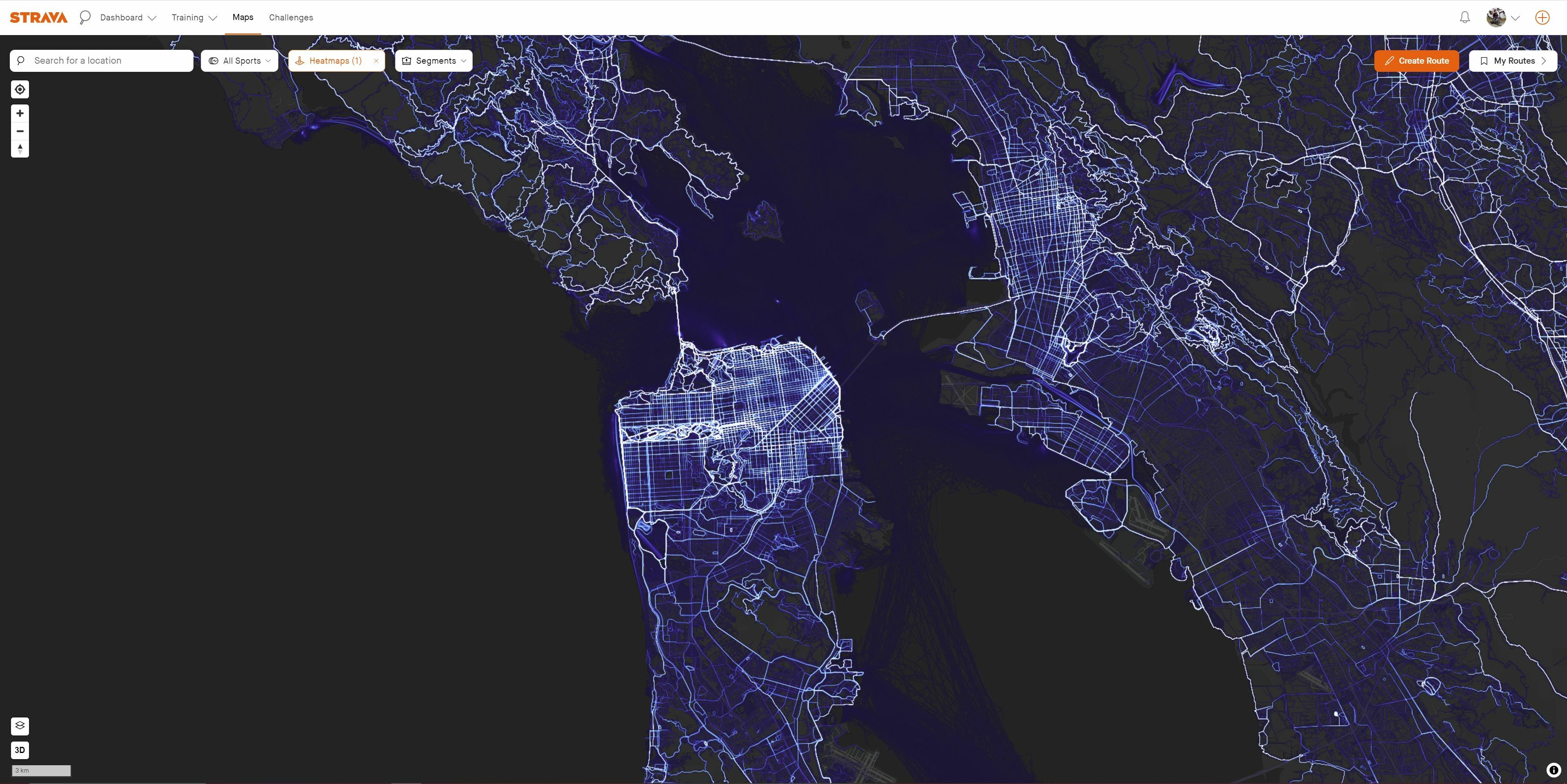
Every time I open Maps, it defaults to Global Heatmap showing San Francisco. Previously, My Heatmap was the default, showing the location where you are/had your last activity. 

Can you please revert this functionality, it's super annoying to have to change it every time.

Best answer by Jane

Hello,

For anyone having this issue, it's possible your account time zone needs to be reset. Even if your time zone is displaying correctly on your account, I recommend following the instructions below to reset it:


  1. Access your account through the Strava Website
  2. Go to Profile > Settings
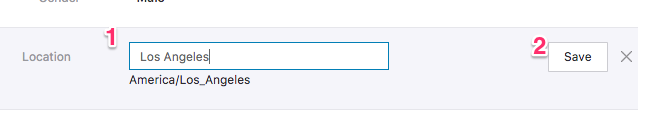
  3. Select your current location and type in Los Angeles & Save (this is to reset the time zone, we recognize this is not your accurate location. You will reset your location in step 5)
     

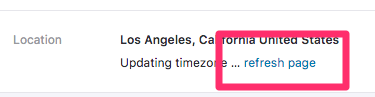
  4. Select Refresh Page


  5. Enter in your correct location & Save.
  6. Select Refresh Page (if the time zone still does not refresh to match your location please try step 3 again and then refresh the page followed to ensure the time zone and location match. Then enter your correct location again and refresh the time zone). Sometimes the timezone gets stuck and just needs to get adjusted back and forth to reset itself. Once it is set and is accurate it will not revert back.

Please give that a try and let us know if it resolve the issue.

7 replies

Jane
Forum|alt.badge.img+29
  • Strava Alumni
  • August 30, 2024

Hello @zach_vowles 

Thanks for your post. You didn't mention if this is happening on Web or the Mobile App. If it's the Mobile App, could you try turning off your device's location services from within the device settings then turning them back on?

Let us know if that helps. 


Forum|alt.badge.img+3
  • Author
  • Hub Rookie
  • August 31, 2024

Hi Jane,

It's happening on Web.


Forum|alt.badge.img+1
  • Hub Starter
  • September 9, 2024

Jane,


I am having the same issue as well. On the web.


  • Hub Starter
  • September 19, 2024

Hey Jane, I have been seeing the same behavior on the web. I thought I had my profile somehow set to San Francisco, CA as my location. Is this something you all plan on fixing?


Jane
Forum|alt.badge.img+29
  • Strava Alumni
  • Answer
  • September 19, 2024

Hello,

For anyone having this issue, it's possible your account time zone needs to be reset. Even if your time zone is displaying correctly on your account, I recommend following the instructions below to reset it:


  1. Access your account through the Strava Website
  2. Go to Profile > Settings
  3. Select your current location and type in Los Angeles & Save (this is to reset the time zone, we recognize this is not your accurate location. You will reset your location in step 5)


  4. Select Refresh Page


  5. Enter in your correct location & Save.
  6. Select Refresh Page (if the time zone still does not refresh to match your location please try step 3 again and then refresh the page followed to ensure the time zone and location match. Then enter your correct location again and refresh the time zone). Sometimes the timezone gets stuck and just needs to get adjusted back and forth to reset itself. Once it is set and is accurate it will not revert back.

Please give that a try and let us know if it resolve the issue.


  • Hub Starter
  • September 19, 2024

that worked, thank you!


Forum|alt.badge.img+1
  • Hub Rookie
  • March 11, 2025

Hi, this has been marked as solved, but I've followed these steps for at least five times in a row now. It does not work. Strava web, Chrome latest version. Anyone else experiencing this and/or found a solution that works?