Answered

Unable to reach the API settings dashboard (https://www.strava.com/settings/api)

  • January 30, 2026
  • 3 replies
  • 45 views

Forum|alt.badge.img+1

Hello,

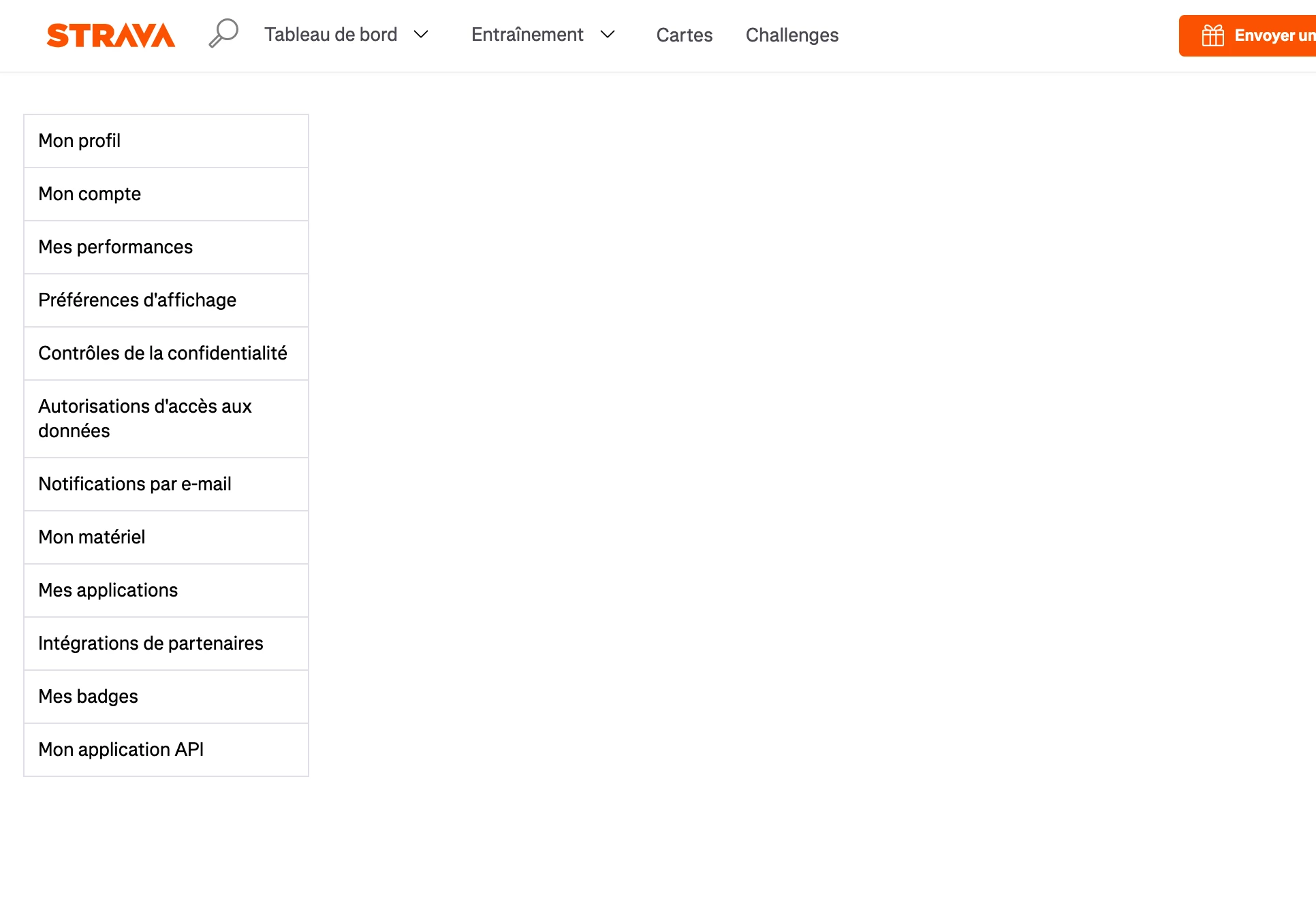
Since yesterday (it was the first time I try to reach this url), I’m unable to reach my API setttings dashboard (https://www.strava.com/settings/api

The main column is empty :
 

There is no error in the console.

It worked a few times, but rarely.

Thanks a lot for your help,

Regards,

Deodat

Best answer by ActivityFix

My usual suggestion for site issues is to try one of:

  1. Private browsing mode - This will tell you if some plugin or setting you have is causing the issue
  2. A different browser - Similar to option 1 and also eliminates any browser-specific issues
  3. Disable ad blockers and VPN - They may be inadvertently blocking content. I remember there was an issue a while back with duckduckgo app protection and the Strava app. 

If one of those 3 things works, you’ll have some idea of what the next steps are. If none of them work, I would file a support ticket.

3 replies

  • February 3, 2026

Hi ​@deodat, it looks like the last item in your screenshot “Mon application API” is visible. Are you able to select that?


ActivityFix
Superuser
Forum|alt.badge.img+24
  • Superuser
  • Answer
  • February 4, 2026

My usual suggestion for site issues is to try one of:

  1. Private browsing mode - This will tell you if some plugin or setting you have is causing the issue
  2. A different browser - Similar to option 1 and also eliminates any browser-specific issues
  3. Disable ad blockers and VPN - They may be inadvertently blocking content. I remember there was an issue a while back with duckduckgo app protection and the Strava app. 

If one of those 3 things works, you’ll have some idea of what the next steps are. If none of them work, I would file a support ticket.


Forum|alt.badge.img+1
  • Author
  • Hub Rookie
  • February 15, 2026

Hi ​@deodat, it looks like the last item in your screenshot “Mon application API” is visible. Are you able to select that?

Hello ​@Emily_A,
I finally managed to display the menu item sustainably.
Thanks you