Question

Updating activities with cadence

  • February 17, 2026
  • 2 replies
  • 48 views

Forum|alt.badge.img+2

I have a Xiaomi Band 6 and have recently joined the 100k steps challenge. It’s not counting anything though. From research, I’ve come to understand that Strava requires a cadence field to calculate steps and it seems no way of uploading activities (manually, Mi Fitness Strava integration, through Apple Health) uploads them correctly.

Having exported my data from Xiaomi, I know they have the information, but I guess whatever .fit file they are generating is not correct.

My question is, can I somehow add the cadence in the existing activities through the API? If not, can I do so by making my own .fit files and uploading them manually (basically delete the old activity and reupload it the right one)?

Also I’ve been trying to figure out if I can access any of the .fit files previously uploaded, but I haven’t managed so far. Is it possible? Or does the backend delete them after import?

2 replies

Jan_Mantau
Forum|alt.badge.img+27
  • Hub Superuser Alumni
  • February 17, 2026

You can’t enrich an existing activity with cadence by API functions. Your plan with deleting it manually and uploading a new file would help but you will need some research on how to create the new file.


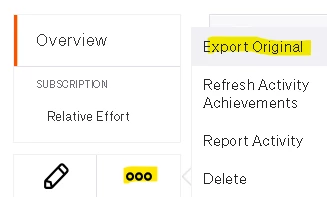
You can download the source file (doesn’t have to be a fit file) on the website, but I don’t know if this works with activities coming from the Apple Health integration:


Forum|alt.badge.img+2
  • Author
  • Hub Rookie
  • February 18, 2026

Thanks, you helped greatly. I had already scoped out the Garmin SDK for generating the .fit files and they also have resources for the spec/format itself, but I had yet to look into them.

That said, Export Original works!!!! And it’s not part of the v3 API, which is why I couldn’t find it there.

So far I’ve had the Strava integration enabled in Mi Fitness, so there hasn’t really been any upload strictly from Apple Health, although I did have it enabled as well for various other data. The activities were all from Mi Fitness and I know that because the fit files in the activities contain “xiaomiapp”. I was about to test uploading an activity straight from Health yesterday, especially since I had no posting rights yet, but postponed it. Still interested in how it looks like and whether it passes cadence on since Health does have all the steps/cadence info separately.

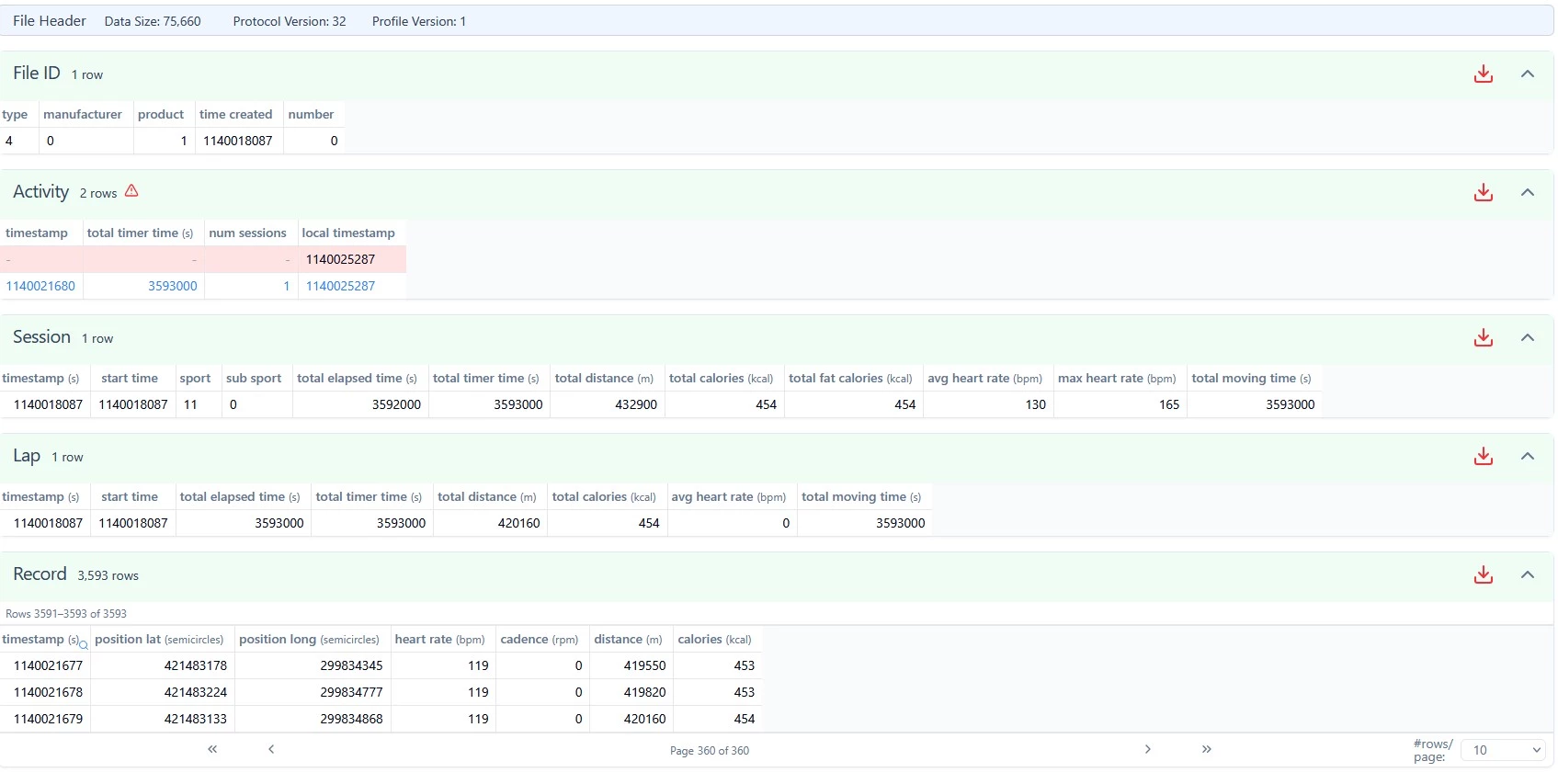
I also found a fit viewer and there’s no cadence passed, so it’s definitely the Xiaomi exporter that doesn’t do a good job.

xiaomi .fit

Disregarding the error in the Activity section, the Record section has 0 cadence and it’s likely ignored completely that way.

I’m gonna look into the file with a hex editor, make sure the viewer actually shows an existing cadence field with a 0 value to be sure though.

All in all, thanks, I think I have a way out now.