Question

Receiving a 404 error while trying to use the Export GPX endpoint

  • October 31, 2023
  • 7 replies
  • 83 views

Forum|alt.badge.img+2

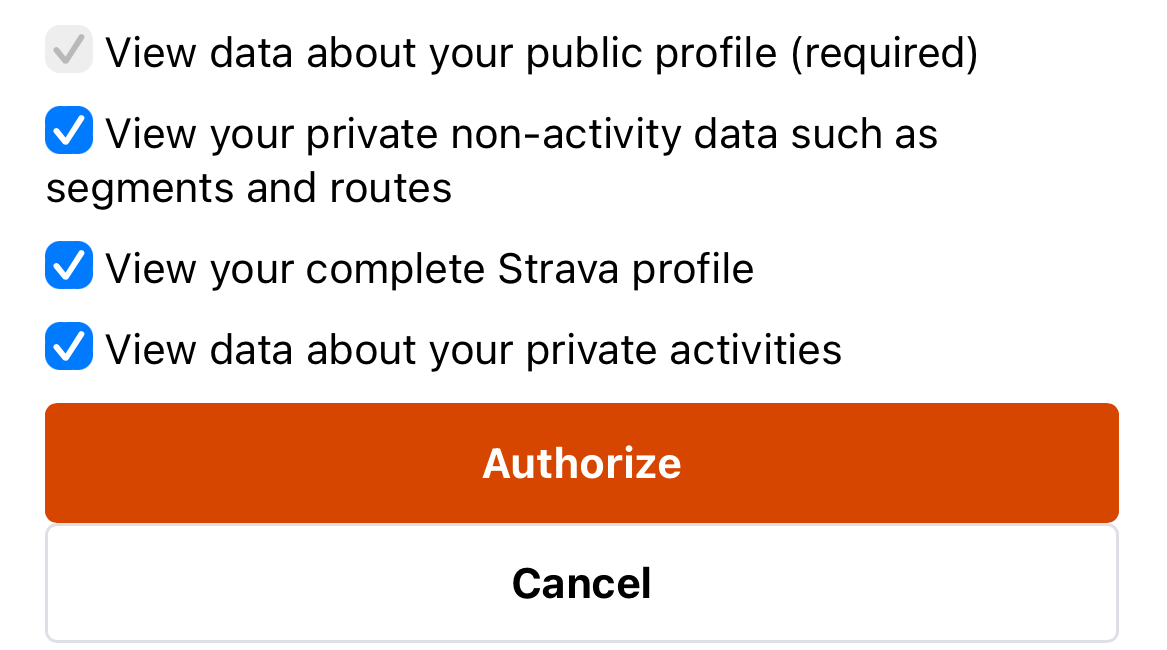
I am trying to utilize the Export GPX endpoint for a feature in a mobile application. However I am running into a 404 error when I actually go to use the endpoint. I know that this endpoint requires a read_all scope for private parameters which I already included in my webform url

scope=activity:read_all,profile:read_all,read_all
 This is how I have my exportGPX endpoint set up as well..

 

7 replies

Jan_Mantau
Superuser
Forum|alt.badge.img+27
  • Superuser
  • November 1, 2023

Most likely is you're using a wrong id for {route_id}


Forum|alt.badge.img+2
  • Author
  • Hub Rookie
  • November 2, 2023

I tried putting the function directly inside the other function that gets routes from Strava. Using the ID directly from the JSON response and I still get a 404 error...


Jan_Mantau
Superuser
Forum|alt.badge.img+27
  • Superuser
  • November 2, 2023

The json response from getting all the routes contains many different types of id fields, please make sure to use the right one.


Forum|alt.badge.img+2
  • Author
  • Hub Rookie
  • November 2, 2023

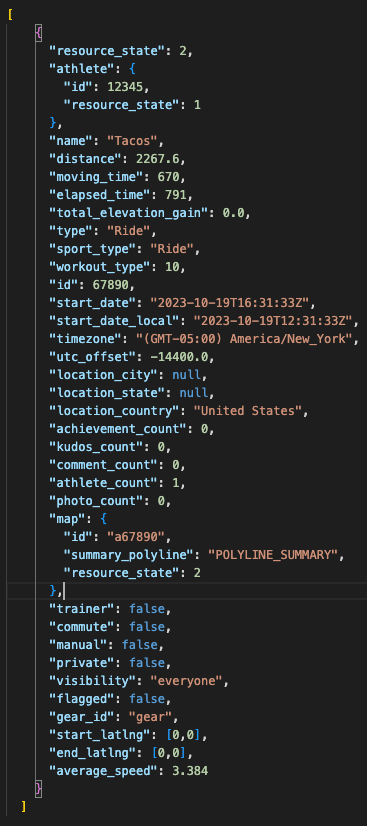
Here is a JSON response that I am using. I took out IDs/coords for the purpose of this but I am using the ID field with the value of 67890. I am able to use other endpoints with this ID as well.


Jan_Mantau
Superuser
Forum|alt.badge.img+27
  • Superuser
  • November 2, 2023

That doesn't look like a json response for a route, I would wager this is an activity summary. What endpoint did you use to get that?


Jan_Mantau
Superuser
Forum|alt.badge.img+27
  • Superuser
  • November 3, 2023

And to make things more clear: You can't use activity ids for getting the gpx or tcx file for that activity. Only  for planned routes you can get a file. The endpoint for getting the route ids  for planned routes is https://developers.strava.com/docs/reference/#api-Routes-getRoutesByAthleteId


Forum|alt.badge.img+2
  • Author
  • Hub Rookie
  • November 3, 2023

Actually I used /athlete/activities maybe thats the problem... I thought it was giving me my routes as the names lined up. Let me try /athletes/{id}/routes to see if that has a different ID