Question

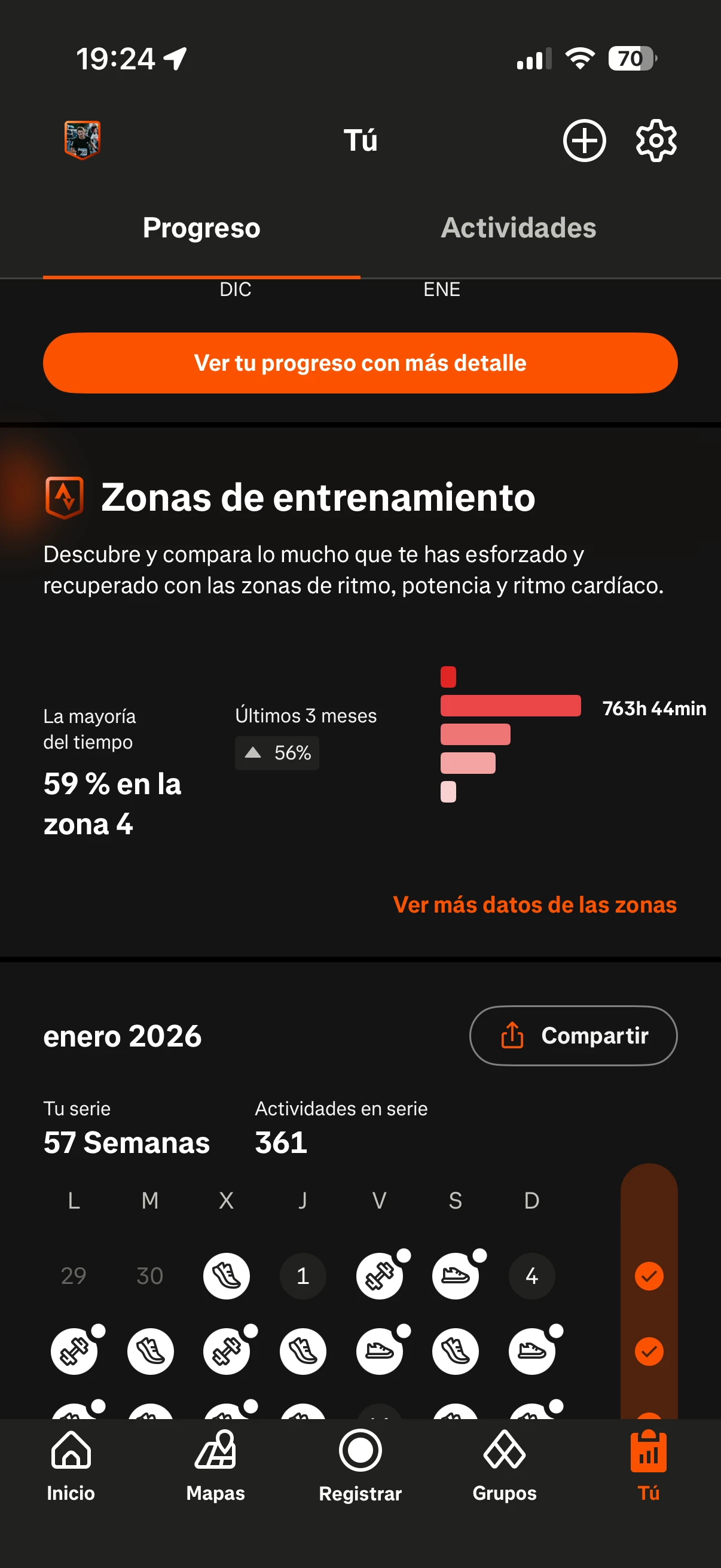
[Known Issue] Time Duration in Heart Rate Zones showing thousands of hours!?!?

  • January 22, 2026
  • 6 replies
  • 66 views

Forum|alt.badge.img+1

Has anyone seen odd HR Zone data like this? I am uploading data from a Garmin Edge 540. I’ve been using Strava HR zone data for years and always copy/paste this data into a spreadsheet and I have never seen wierd data like this. 

6 replies

Jan_Mantau
Superuser
Forum|alt.badge.img+27
  • Superuser
  • January 22, 2026

Did you check the starting time of the activity? Maybe the clock on the Edge was wrong.


Forum|alt.badge.img+1
  • Author
  • Hub Rookie
  • January 22, 2026

@Jan_Mantau The start time seems to be the same. Looked it up on Garmin Connect and it’s the same as shown on Strava. 


  • Hub Starter
  • January 22, 2026

Same for me. Since the last update my heart rate zones are messed up.

It changed from 72% Z2 to 59% Z4 (763h 🤯)


Forum|alt.badge.img+1
  • Author
  • Hub Rookie
  • January 22, 2026

UPDATE: I checked my HR zone time data in both TrainingPeaks and also Runalyze. Both are showing HR zone time data that is consistent and sums up to my total ride time. Since Strava makes calculations based on “moving time” rather than the total activity time, my conclusion is that something has gone awry inside the Strava code for calculating HR time in zones. I’ve submitted a ticket to Strava support so hopefully I get a response soon.


Jana_S
Forum|alt.badge.img+29
  • Hub Superuser Alumni
  • January 22, 2026

This is definitely a bug, I’ve seen several more threads about this (so I’ve pointed those folks here), moderators are already aware, hopefully we'll get some update soon. 


Marya
Community Manager
Forum|alt.badge.img+22
  • Community Manager
  • January 23, 2026

Hi all, thanks for flagging. Our team is aware of this issue and are looking into it. Once more information is made available, it will be shared here. Thank you!