Answered

Map Overlay

  • August 20, 2025
  • 4 replies
  • 1723 views

Forum|alt.badge.img+1

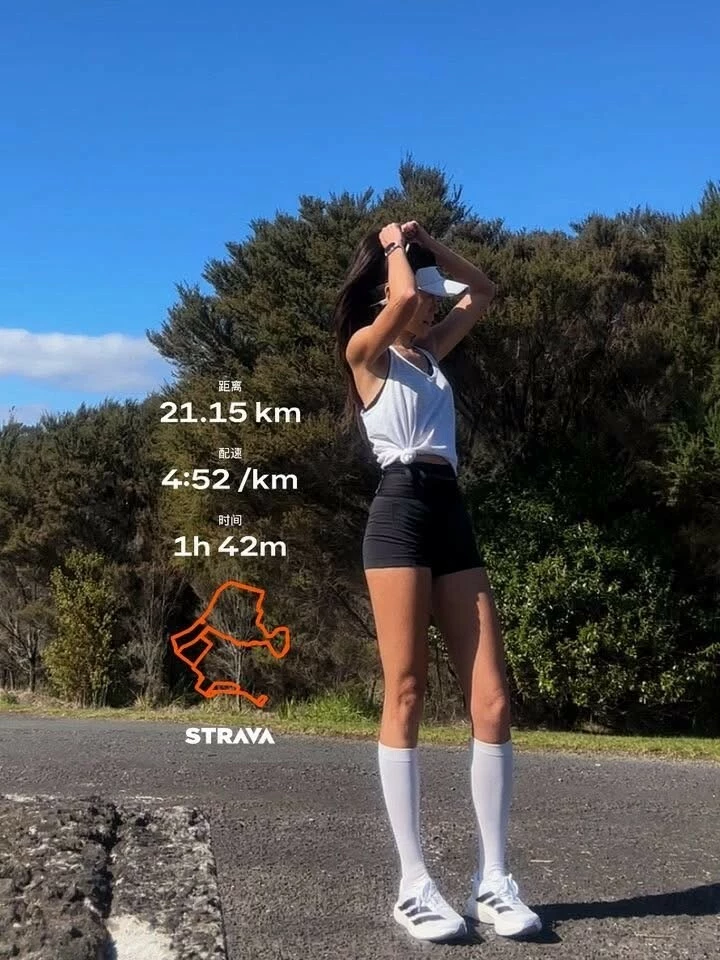
Hi. I see people post pics of their activities with a small overlay of their map and run details. 
I have uploaded photos to Strava, however, I can’t find the functionality to share photos like this. 
 

Thanks….

Best answer by Jana_S

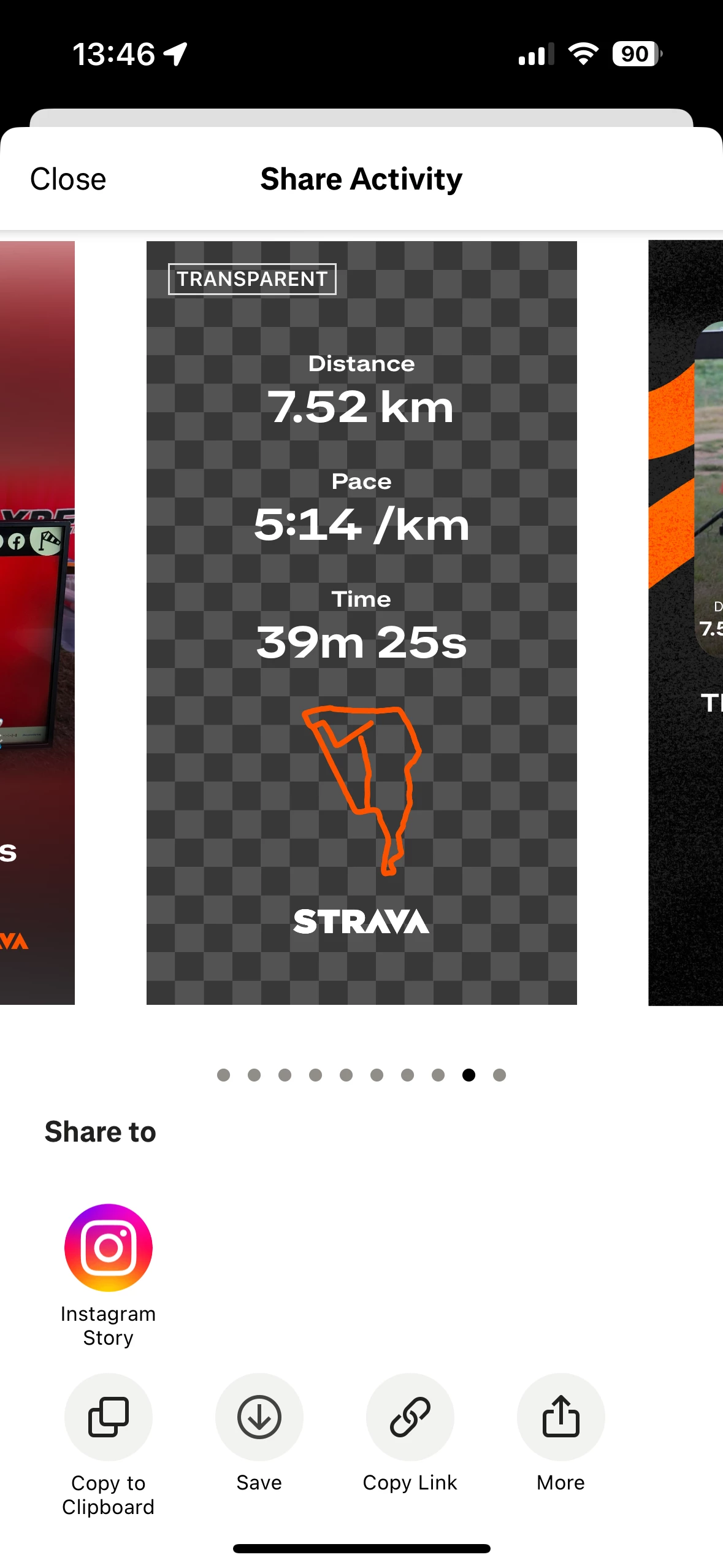
Oh - thanks for the image, that explains what you mean :-)  So when you're on the sharing screen, swipe through the map/photo options till you get to this “transparent” one. You can then use it as an overlay for any photo.


4 replies

Jana_S
Superuser
Forum|alt.badge.img+29
  • Superuser
  • August 20, 2025

Hi ​@Dazza73, you can share the photo/map from the mobile app if the activity is not set as private. Then you'll see the sharing button next to the comments button. 

However, if you're referring to the neat small overlay text, that's gone, replaced by a redesigned feature… there's been a lot of discussion about that, users are asking for the original functionality, if you want you can join the conversation here: 


Forum|alt.badge.img+1
  • Author
  • Hub Rookie
  • August 20, 2025


Hi ​@Dazza73, you can share the photo/map from the mobile app if the activity is not set as private. Then you'll see the sharing button next to the comments button. 

However, if you're referring to the neat small overlay text, that's gone, replaced by a redesigned feature… there's been a lot of discussion about that, users are asking for the original functionality, if you want you can join the conversation here: 


Hi. Thank you for your response.

The redesigned feature is what I’m chasing. I see people share this on their various social media platforms.

My activities are not private. I go to share options, and don’t have the option to share the redesigned feature.

I have posted a pic of an example of what I am referring to. 


Thanks,


Forum|alt.badge.img+1
  • Author
  • Hub Rookie
  • August 20, 2025

Hi. Thank you for your responses.

The redesigned feature is what I’m chasing. I see people share this on their various social media platforms.

My activities are not private. I go to share options, and don’t have the option to share the redesigned feature.

I have posted a what I am referring to below. 


Jana_S
Superuser
Forum|alt.badge.img+29
  • Superuser
  • Answer
  • August 21, 2025

Oh - thanks for the image, that explains what you mean :-)  So when you're on the sharing screen, swipe through the map/photo options till you get to this “transparent” one. You can then use it as an overlay for any photo.