It seems like a very “simple” idea but being able to move photos around on your specific Strava Activity. For example, if you want a certain photo or video at the “beginning” or “front” of the media included on a specific activity, you have to delete all of the media after it and reupload the media in the order you want it to be shown. I think it would be great to have a way, when editing your Strava activity, to be able to move photos and videos around (similar to organizing an Instagram post that includes multiple photos) to different spots in their chronological order, rather than having to delete media and then reuploading it in the order you want it to be displayed.

Answered
Photo/Media Editing on Strava Activity
 +1
+1Best answer by Jana_S
Hi
you can actually do this :)
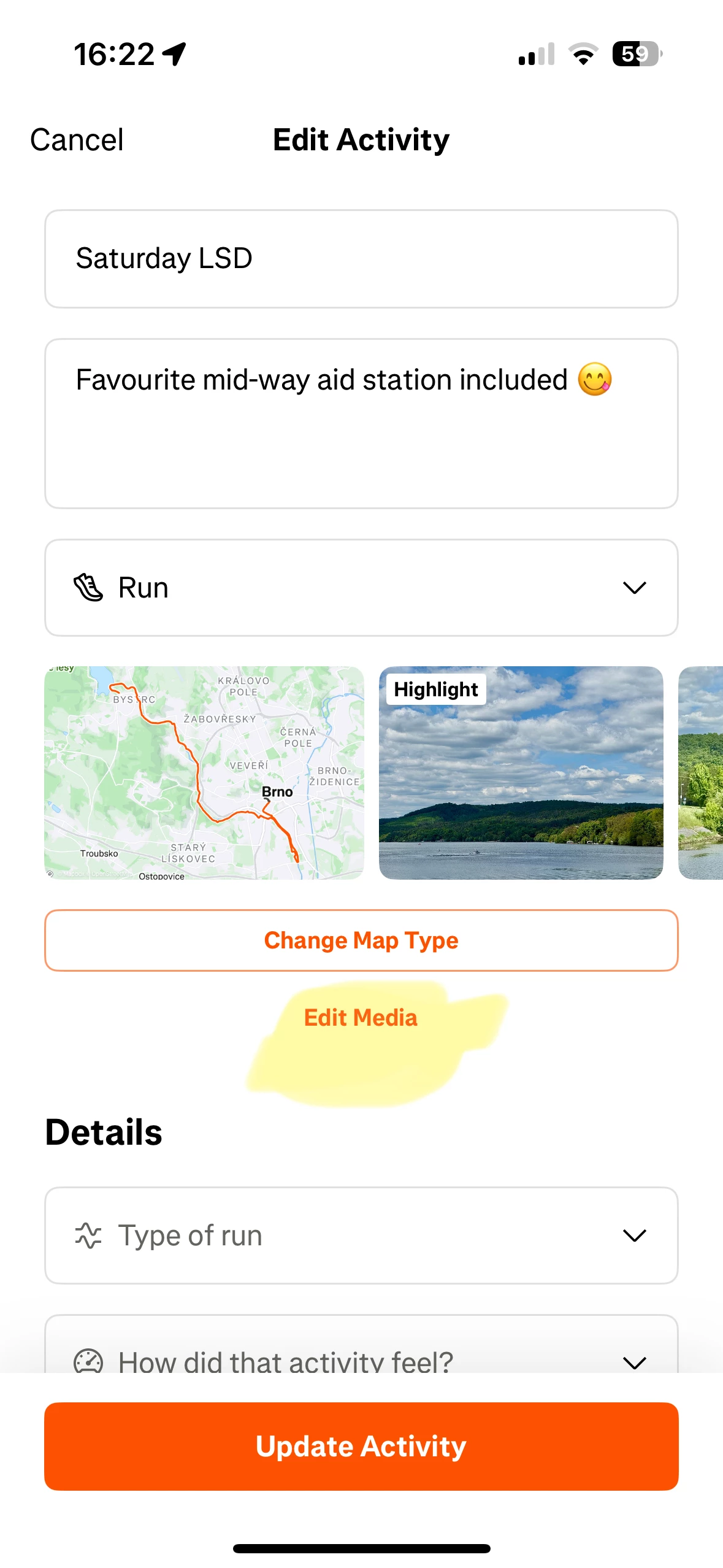
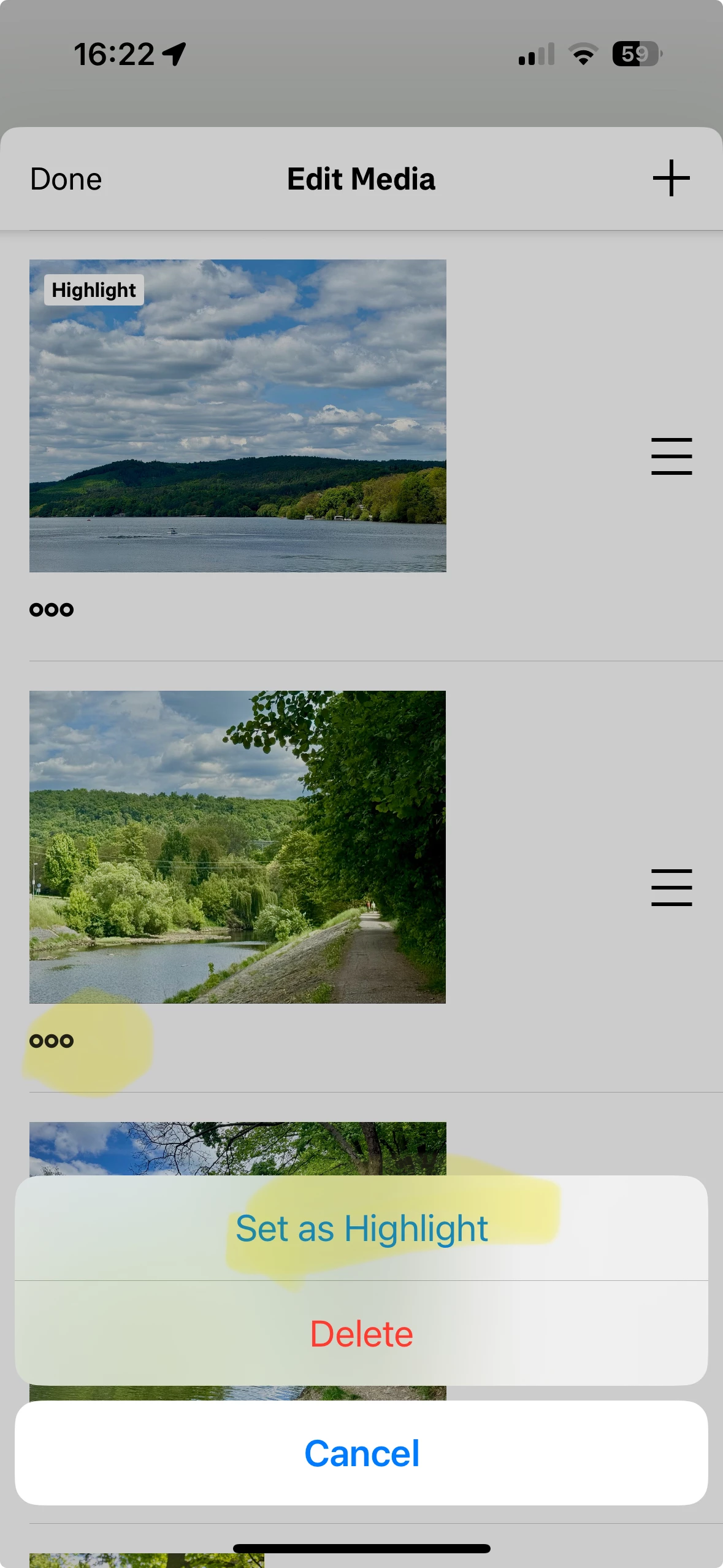
Open the activity and tap Edit media. Then you can tap the “ooo” at any activity to set it as a “highlight” (i.e. main photo, will be displayed first), or drag & drop up or down via the "≡” on the right:


Login to the community
Enter your E-mail address. We'll send you an e-mail with instructions to reset your password.