Question

Transparent Image for Sharing Options

  • January 24, 2026
  • 5 replies
  • 79 views

Forum|alt.badge.img

I’ve seen a lot of people recently start sharing their activity data after a run/ride to their socials with alternative transparent overlays. 
 

I have the option of the one that gives distance/pace/time and the orange line map, but I’m seeing people use various others which I don’t seem to have?

I’m a subscriber, on iOS app and have the latest version I think. 
 

Any help is appreciated.

5 replies

Jana_S
Forum|alt.badge.img+29
  • Hub Superuser Alumni
  • January 25, 2026

Hi ​@GBSheffMTB, it might help if you add a screenshot of what you mean by “various others” - could you post some examples? (Note - replies with images will likely wait to be approved by a moderator)


Forum|alt.badge.img
  • Author
  • Hub Rookie
  • January 25, 2026

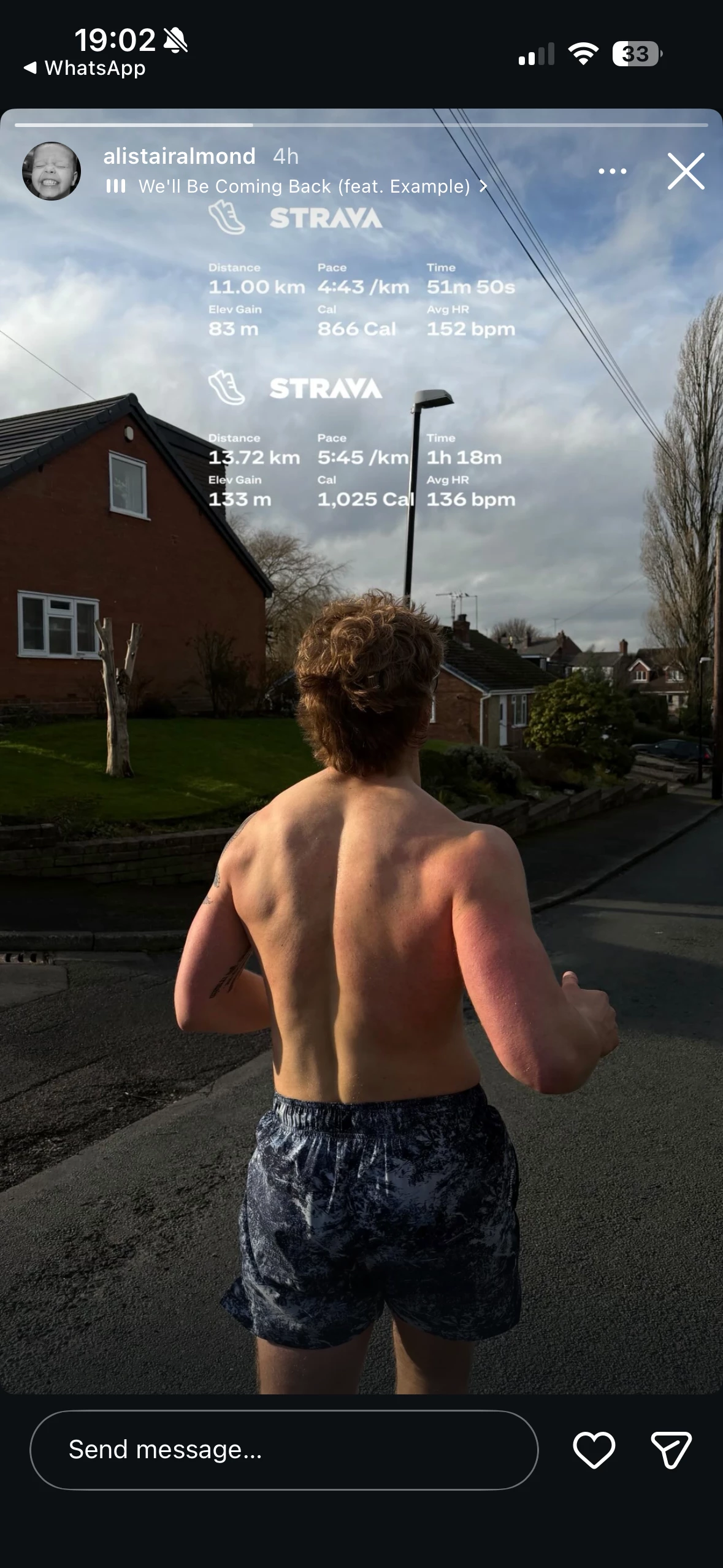
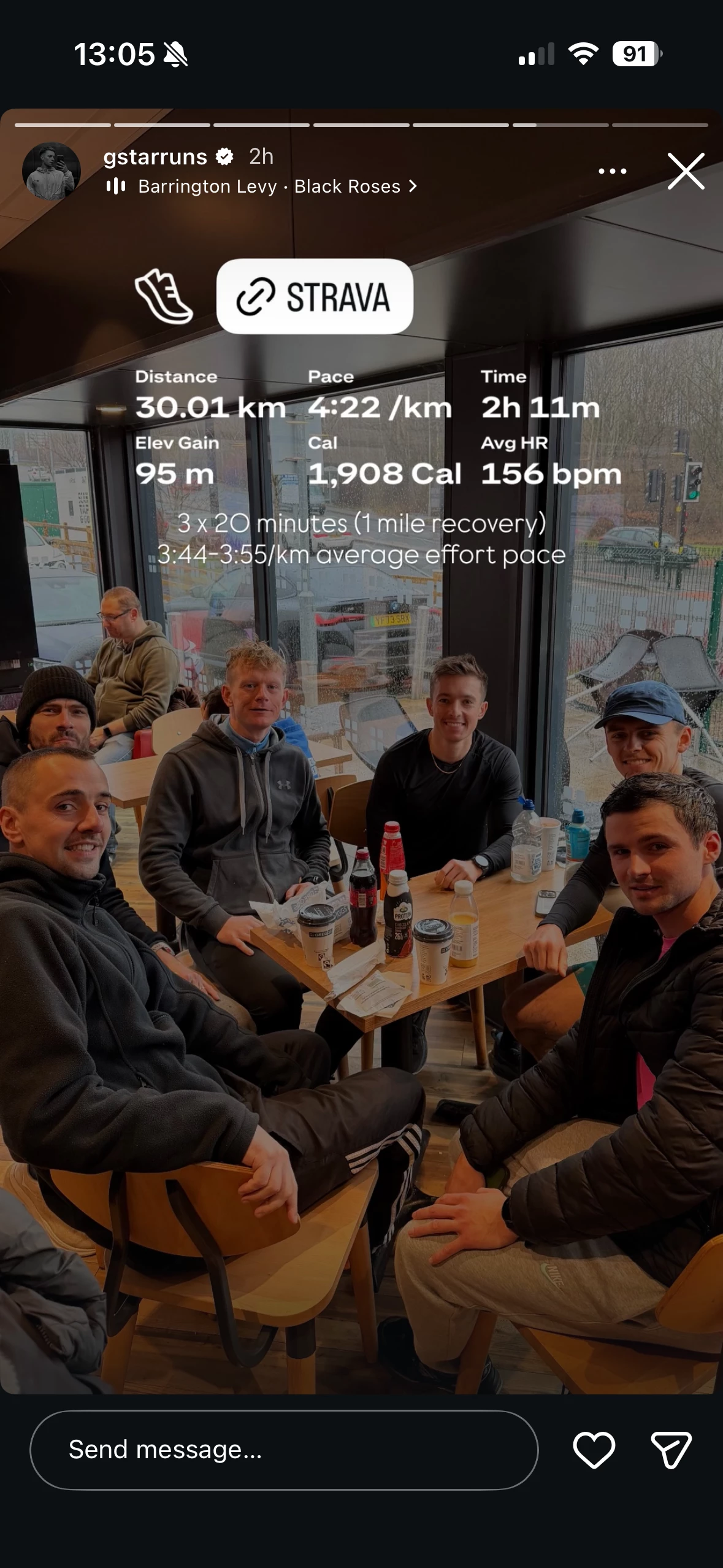
Hi ​@Jana_S thanks for the reply! Absolutely, that makes sense. So after my activity loads, if I click th share icon it takes me to a screen where I have approx 4/5 images/graphics created by Strava. The flyover, the basic map with data, the transparent one and one with a Strava link. 
 

Images attached show a different transparent option I don’t have and I understand there’s actually now way more than the original 4 graphics. 


Forum|alt.badge.img
  • Author
  • Hub Rookie
  • January 25, 2026

Another;


Forum|alt.badge.img
  • Author
  • Hub Rookie
  • January 25, 2026

Another;


Jana_S
Forum|alt.badge.img+29
  • Hub Superuser Alumni
  • January 27, 2026

That's interesting! I can't see such option in my Strava app (iOS). Having said that, the screenshot looks like an instagram “story”, it's also combining data from two different activities, so it seems it's compiled manually (i.e. not exported directly from Strava). 

Maybe the easiest way to find out would be to message the author and ask “hey, how did you do this?” 😀