



There's an odd discrepancy between the route edit mode and viewing the saved route. (Note - I’m not using routes too much so I might have missed something obvious, just let me know if that's the case - or, if this is already discussed, please point me to the right direction, I haven't found an existing thread.)
Steps:
- downloaded a gpx file prepared by a race organiser (source: here)
- logged into Strava (web version) > Create route > Import GPX
- choose route name, select sport type (running), save
- open the Strava app (iOS mobile app) > Maps > saved routes > open the most recently saved route
Expected result: when opening the saved route in the mobile app, the route should correspond to the designed path accurately
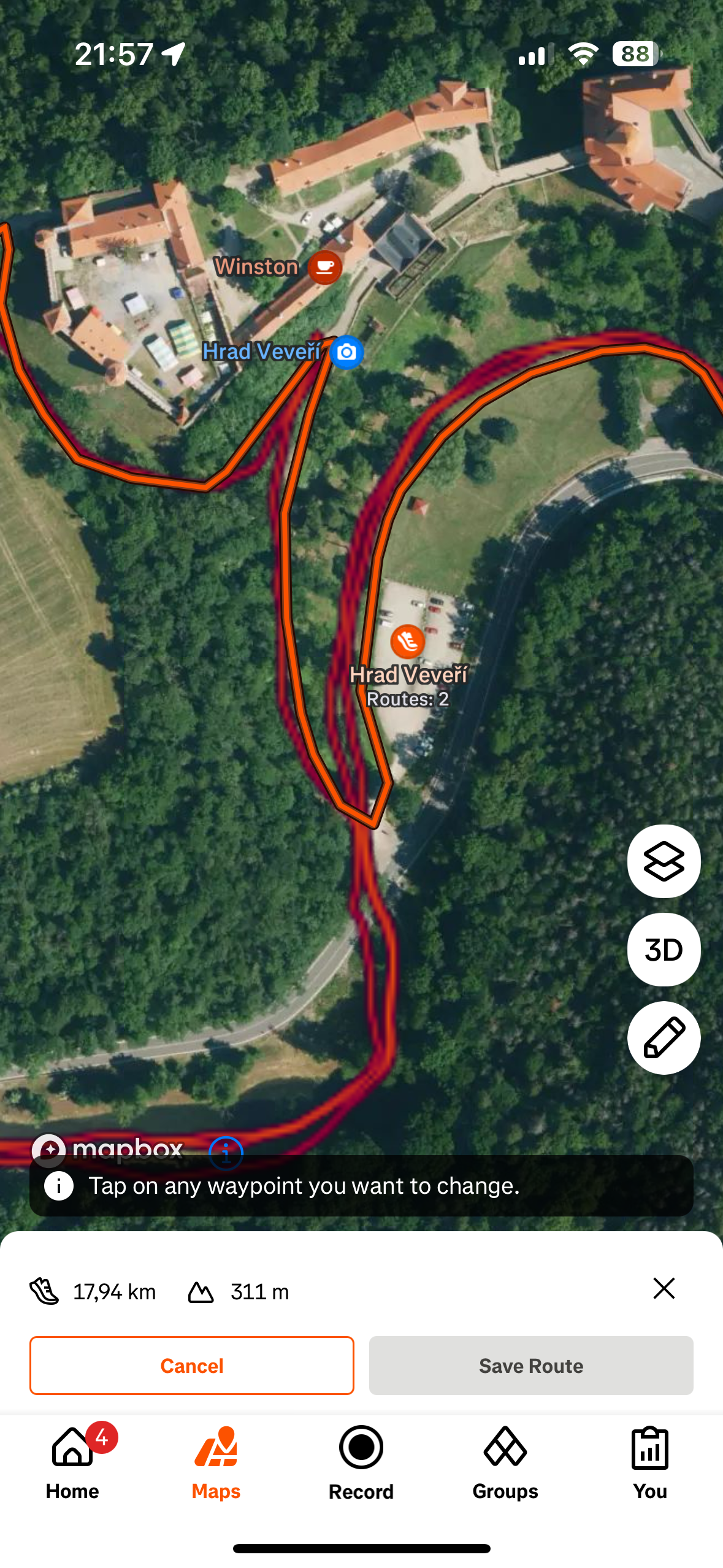
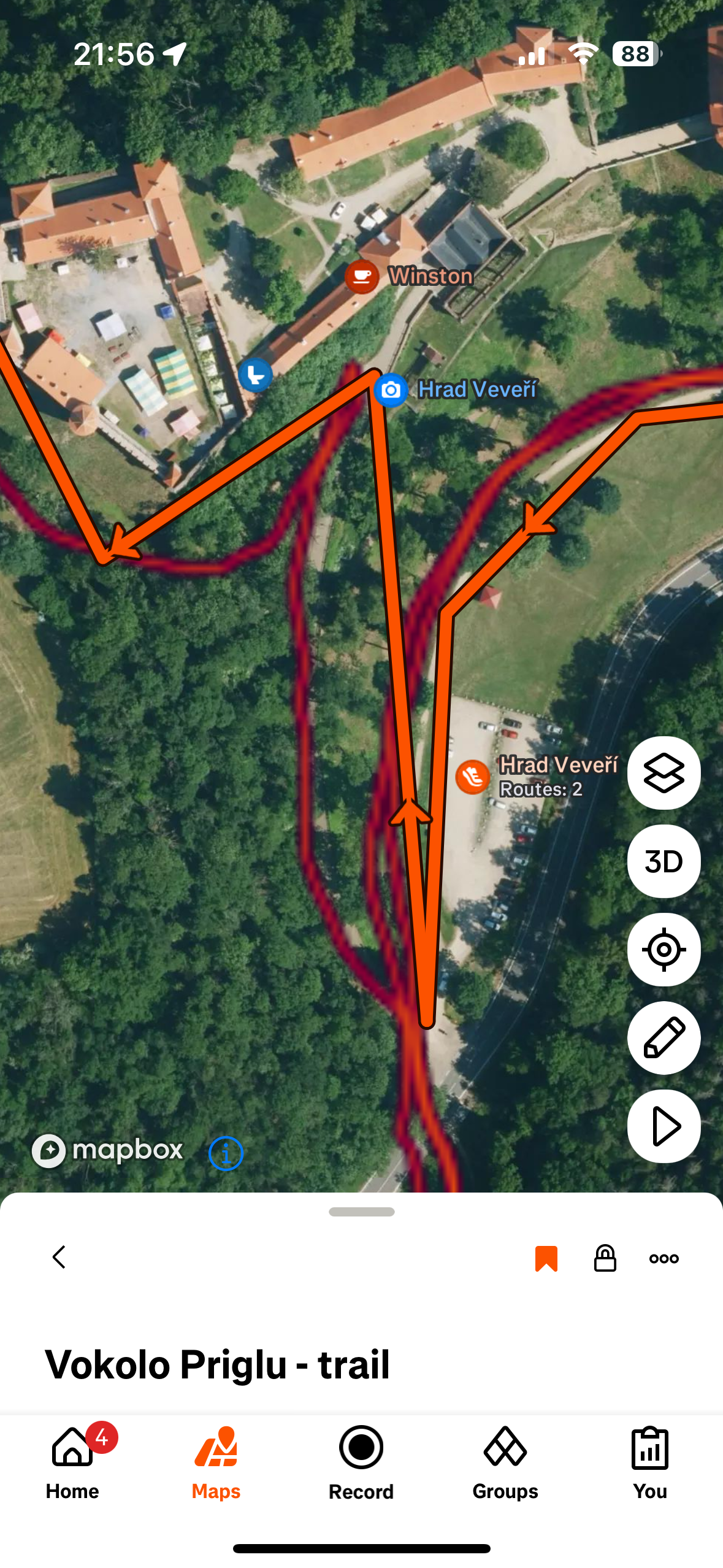
Actual result: it seems that waypoints are missing or rather ignored, because when I open the route in the mobile app in the Edit mode, it seems correct - as on the attached screenshots: in the Edit mode, the route pretty much sticks to the actual path (heatmap), but when just viewing the route, it looks like a simplified version connecting random waypoints, not sticking to the path.
This is the Edit mode - see how the (orange) route goes correctly with the (red) heatmap path:
And this is what it looks like when viewing the saved route:
I did exactly the same with a couple of GPX imports earlier this year (July/August) and when looking on those routes now to compare, they look correctly. Is there a current problem with GPS importing? Or is the GPX file I’m trying to use broken? (But then again - in the Edit mode, it looks just fine.)