Answered

[Resolved] Missing Compass on Mobile Maps

  • March 7, 2025
  • 31 replies
  • 718 views

Forum|alt.badge.img+1

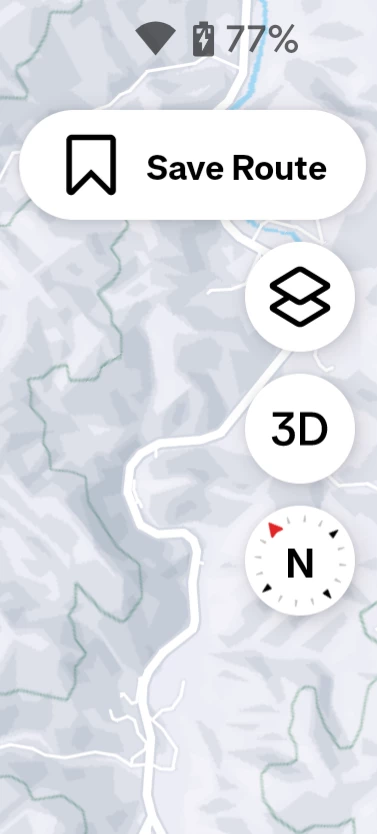
Since the new map, I can't find the compass to set the north up. Where is it now? 

Best answer by Lola

Hello ​@Tom3364 and everyone else - we have received the news from our team that fix has been implemented. Please update your apps to the most recent version. Thank you for your patience while we were looking into this!

31 replies

Bryant
Community Manager
Forum|alt.badge.img+26
  • Community Manager
  • March 12, 2025

Hey ​@Tom3364,

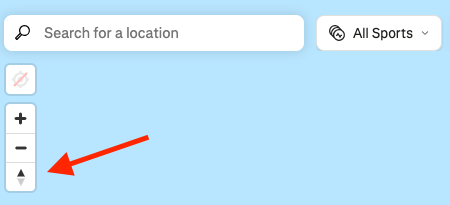
The compass will be at the top left corner of the map under the search bar.


Forum|alt.badge.img+1
  • Author
  • Hub Rookie
  • March 12, 2025

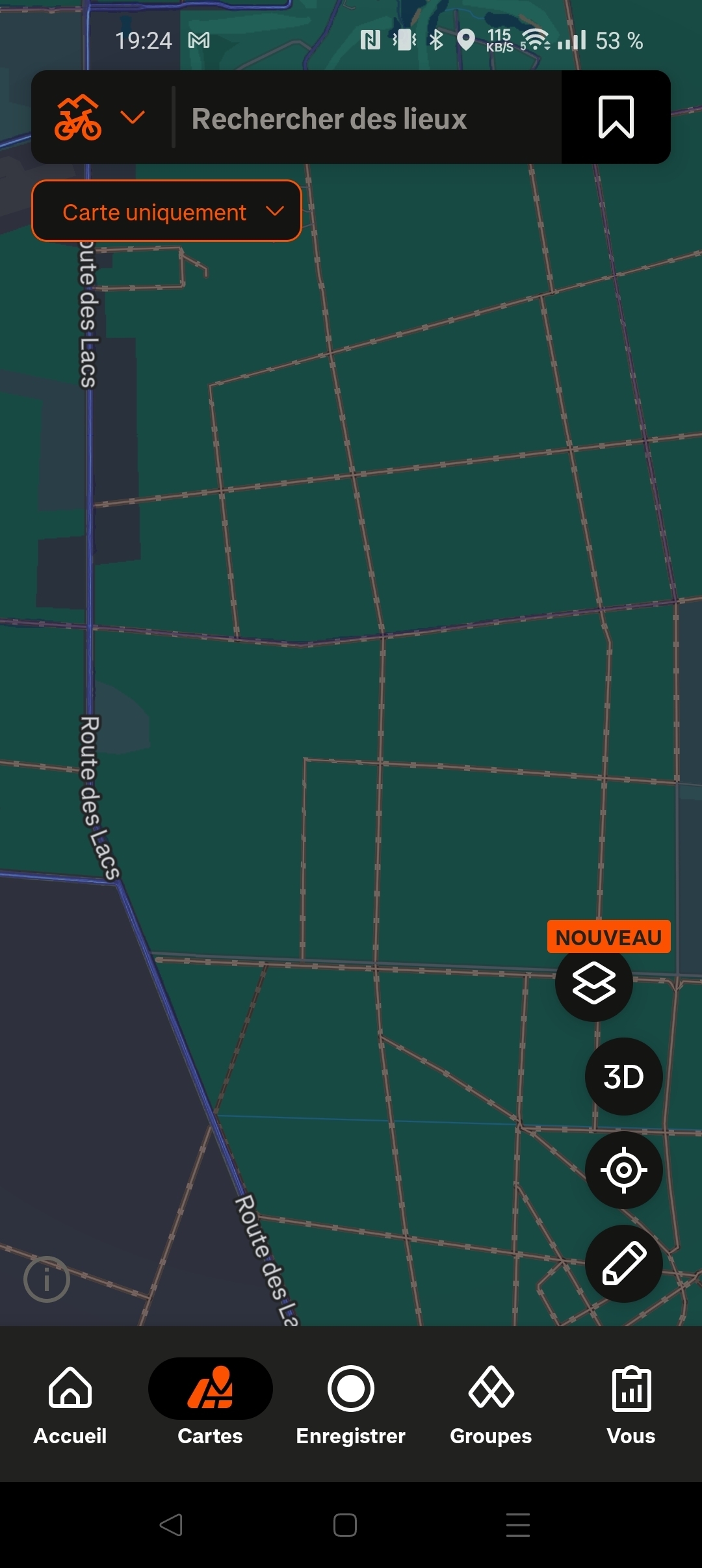
Thanks for the reply but I don't have the same display. My version is 401.10

And still don't have the compass. I uninstall the app and reinstall, same... That's very boring. 


Jana_S
Superuser
Forum|alt.badge.img+29
  • Superuser
  • March 12, 2025

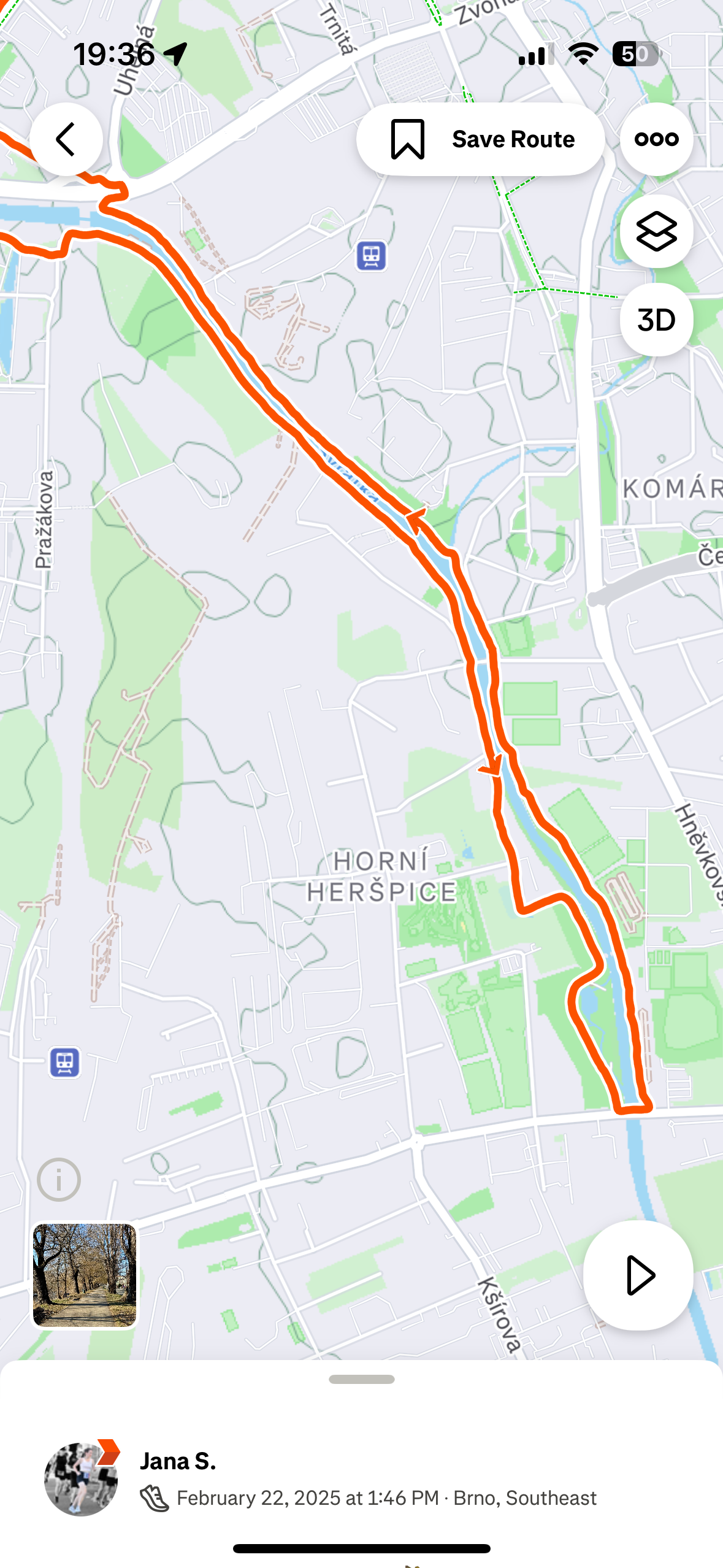
Hi ​@Bryant, it's actually not there in the mobile app (at least not in iOS). This is what it looks like.


Jana_S
Superuser
Forum|alt.badge.img+29
  • Superuser
  • March 12, 2025

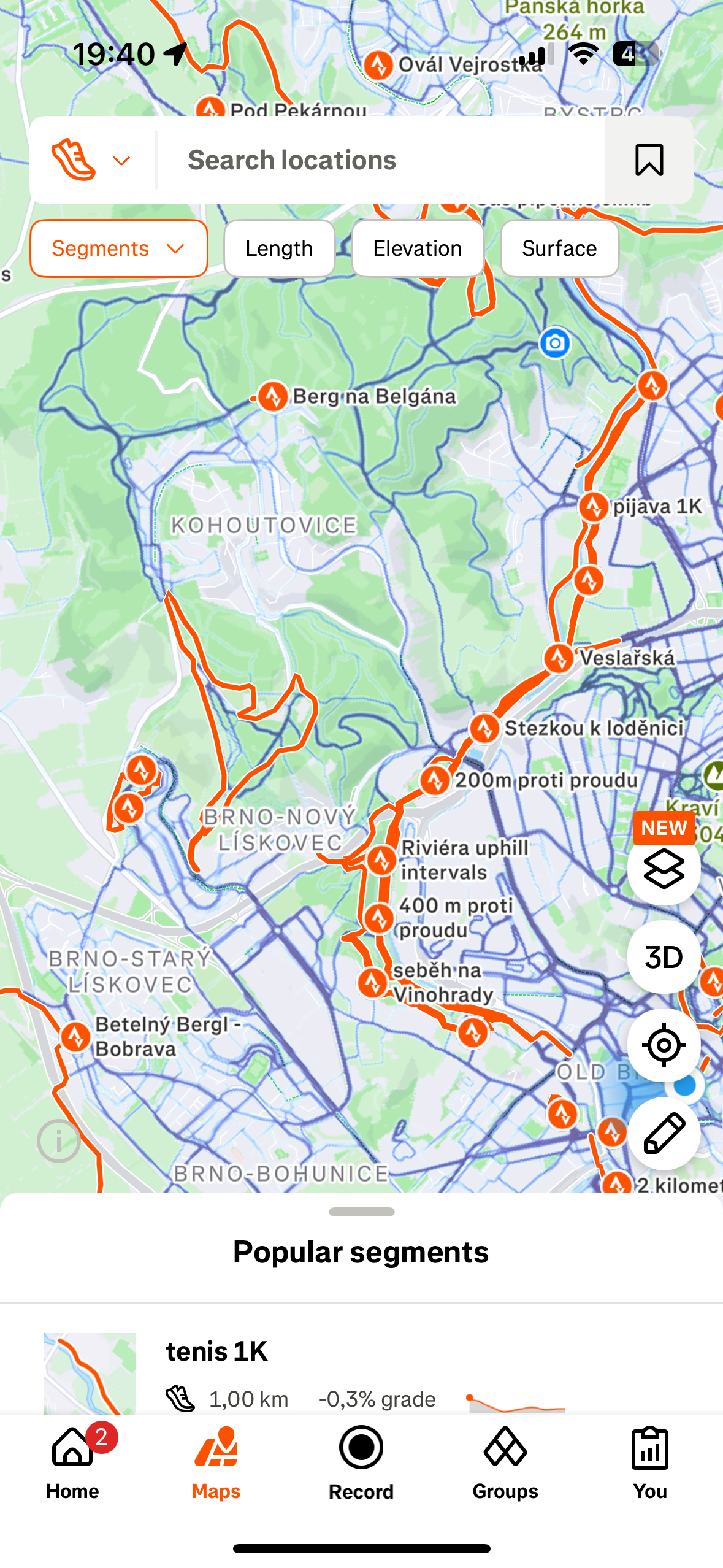
...and this is what it looks like on the Maps tab - the “compass” isn't there either 


Bryant
Community Manager
Forum|alt.badge.img+26
  • Community Manager
  • March 12, 2025

Hey ​@Jana_S  & ​@Tom3364,
Thank you both for clarifying.


The image I sent in my response was from the website.

For the iOS, if you select Maps and wait 4-5 seconds, turn the map left/right and the compass should appear to the left side of the map.
The same should be for android but I’ll ask around on my team to verify.


Jana_S
Superuser
Forum|alt.badge.img+29
  • Superuser
  • March 12, 2025

.

For the iOS, if you select Maps and wait 4-5 seconds the compass should appear to the left side of the map.
 

It's not appearing I’m afraid - neither on an activity map nor on the Maps tab. Probably a bug?


Forum|alt.badge.img+1
  • Author
  • Hub Rookie
  • March 12, 2025

Me neither on android. 


Forum|alt.badge.img+1
  • Author
  • Hub Rookie
  • March 16, 2025

Any update? The lack of compass is quite bothering.

I can't believe we're only 2 affected by this problem. 


Forum|alt.badge.img
  • Hub Starter
  • March 16, 2025

I’m on apple and have the same problem. It used to work fine but strava have tinkered with it and made it worse, which is annoying. Please fix this! 


Forum|alt.badge.img
  • Hub Starter
  • March 16, 2025

Yeah, im experiencing the same problem on Android. Somehow its way more annoying than one could expect


Forum|alt.badge.img
  • Hub Starter
  • March 16, 2025

This is really annoying. If you accidentally rotate the map whilst zooming (very easy to do) there is no way to return to the correct orientation.

Who on earth thought this was a good idea?


Jane
Forum|alt.badge.img+29
  • Strava Alumni
  • March 17, 2025

Hi - thanks to all that have posted here and sorry for any confusion.

Our Team is aware of the issue with the missing compass and are looking into this. We don’t have an estimated date for a fix, but we’ll update this thread when we know more.

Sorry about this and thanks very much for your patience.


Forum|alt.badge.img+1
  • Author
  • Hub Rookie
  • April 6, 2025

Any update? 


Forum|alt.badge.img+10
  • Superuser
  • April 6, 2025

How did a map with a missing compass even make it past internal testing? 


Forum|alt.badge.img+1
  • Hub Rookie
  • April 10, 2025

Any update on this? Browsing the map in new areas is very difficult to get bearings with no compass or being able to snap back to north facing.


Forum|alt.badge.img
  • Hub Starter
  • April 18, 2025

This is such a critical bug in a fitness app, I hope it gets fixed ASAP.


Forum|alt.badge.img
  • Hub Starter
  • April 23, 2025

This bug is really quite annoying. I joined the message boards specifically because of this issues


Forum|alt.badge.img

what seems to be a workaround is switch to a different app,

then return and the map will be facing north up (android)


Forum|alt.badge.img
  • Hub Starter
  • April 29, 2025

This is really annoying. I've been a Strava premium user for years and the only premium feature I really use is maps. It's really hard to use maps now because as soon as you pinch to zoom it starts rotating the map also. That's annoying in itself, but without a way to reset the orientation it because so much worse. 


Forum|alt.badge.img+1
  • Author
  • Hub Rookie
  • April 29, 2025

Any update? This is still boring 😒


Forum|alt.badge.img
  • Hub Starter
  • April 30, 2025

Also very keen to get my compass back ASAP - whats happening Strava?


Forum|alt.badge.img+10
  • Superuser
  • May 6, 2025

It's been over two months since the hurried switch to the fatmap engine and we're still lacking a compass. Even if this is "working as intended" it's time to change intentions and restore this basic functionality. 

@Bryant ​@Jane Can you check with the map team and let us know what's going on? 


  • Hub Starter
  • May 20, 2025

Seeing this in the Strava app on my Android:

  • Device: Samsung Galaxy S22
  • OS: Android 14, OneUI 6.1
  • Strava version: 411.10

Still an issue, and still extremely painful. This causes a bunch of issues when trying to plan routes.

Saw a similar post in Reddit on this as well:
https://www.reddit.com/r/Strava/comments/1iw6577/missing_north_orientation_button/

Other maps like the route-editing feature and recording feature already have this. Not sure why it’s excluded from the route/segment/heatmap map.


Forum|alt.badge.img
  • Hub Starter
  • May 23, 2025

Hi - thanks to all that have posted here and sorry for any confusion.

Our Team is aware of the issue with the missing compass and are looking into this. We don’t have an estimated date for a fix, but we’ll update this thread when we know more.

Sorry about this and thanks very much for your patience.

Isn’t having a way to orient a map like the most basic thing in orientation/navigation?   


Forum|alt.badge.img+10
  • Superuser
  • May 31, 2025

Well I guess they did it, compass has been restored at least on Android app v 413.8. This should definitely be an announcement somewhere, even acknowledging how silly it was to roll out without this basic tool.