Answered

Routes don't display properly on IOS mobile app

  • March 26, 2026
  • 1 reply
  • 13 views

All routes on my mobile app, as soon as they are saved, are displayed very “low-poly”.

I saw that there were already threads on this topic but they are marked as “resolved” wich is, at least in my case, not true.  

I tried deleting the app and reinstalling it, I also tried to edit it on mobile and save it as a new one, or trying to export and import as GPX –> nothing helped. Actually it also happens with routes I completely build in the strava mobile app. I’m experiencing this since a long time. 
Thank you for helping me <3
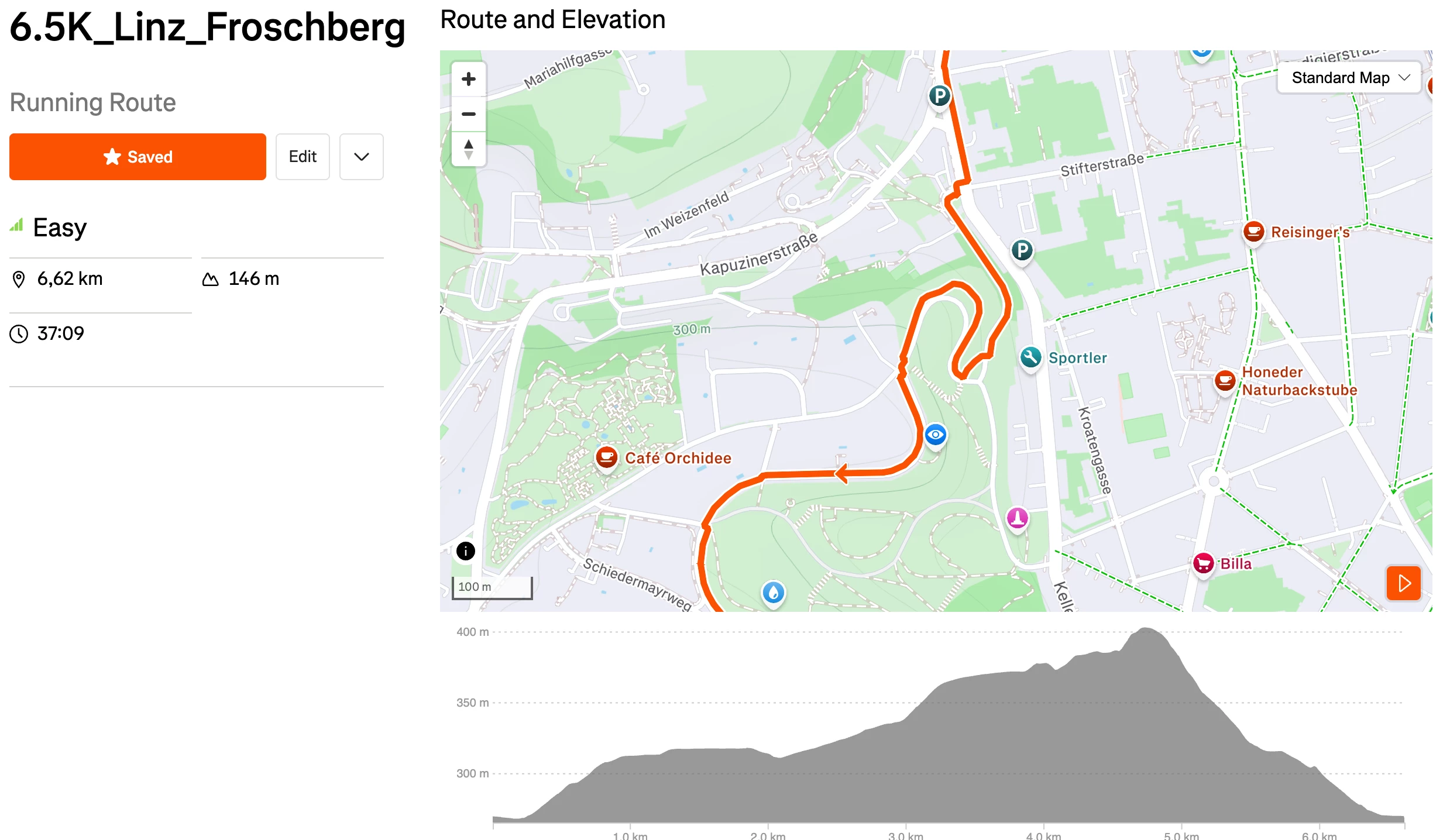
That is a part of a route I created on the web route builder.
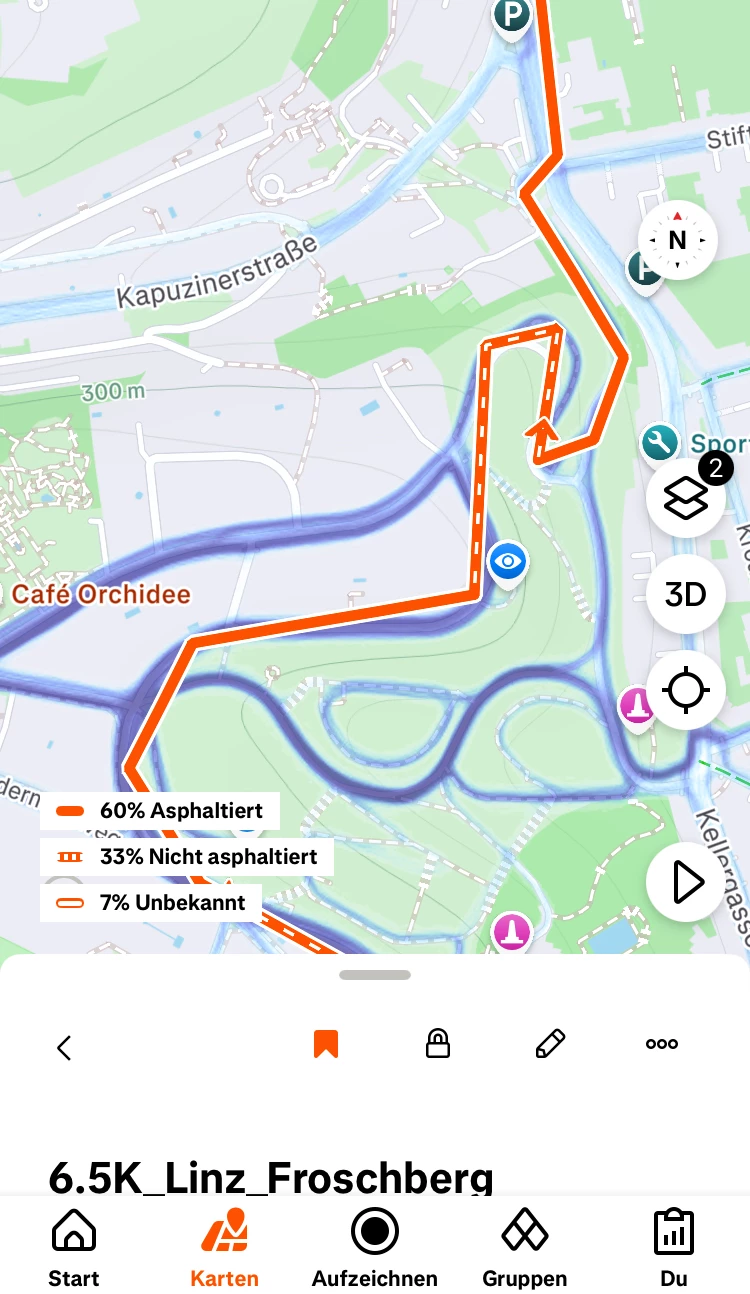
 

And this is how its displayed on my IOS mobile app. 

 

Best answer by Emily_A

Hi ​@senntobias 

Thanks for your message! The Hub has transitioned into a developer-focused space for conversations related to our API and resources for our developer community. 

If you’re looking for technical support, check out this resource:

Looking for technical support or to request a feature? Here’s how.

This topic has been closed for replies.

1 reply

  • Answer
  • March 26, 2026

Hi ​@senntobias 

Thanks for your message! The Hub has transitioned into a developer-focused space for conversations related to our API and resources for our developer community. 

If you’re looking for technical support, check out this resource:

Looking for technical support or to request a feature? Here’s how.