Answered

Segment Sort

  • March 16, 2026
  • 6 replies
  • 54 views

Forum|alt.badge.img+1

Hi!

I am an active runner who frequently travels to different neighborhoods and cities to explore new routes and segments on the island. As I’ve starred more segments over time, I’ve found that my "Starred Segments" list has become difficult to manage and navigate.

I would love to see a feature that allows users to organize or color-code starred segments by area, city, or custom "folders."

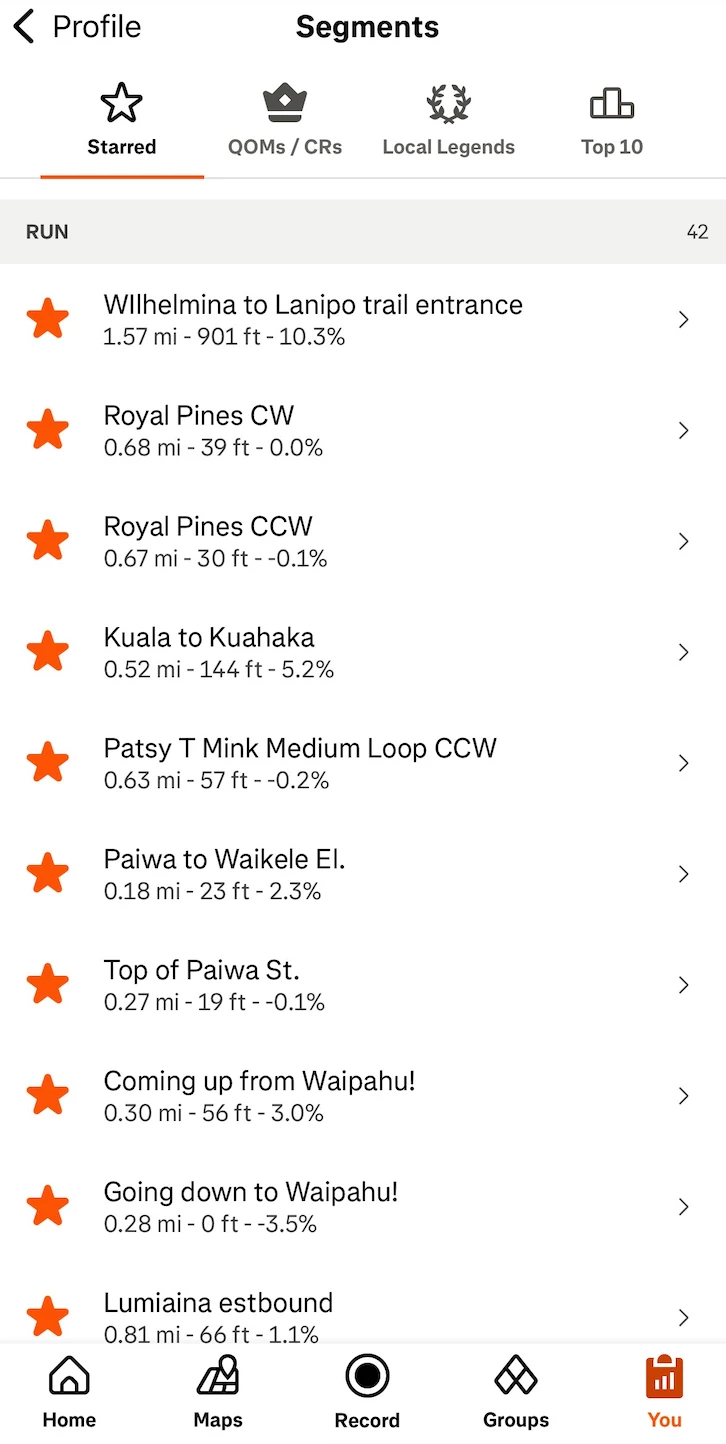
The Problem: Currently, all starred segments are in one long list. When I drive to a specific neighborhood to run, I have to scroll through my entire history to find the segments relevant to that specific location. (I try to unstarr and star so it can be arranged by city but it’s tedious)

Proposed Solution:

  • Color-Coding: Allow users to assign a color to a starred segment (e.g., Blue for "City A," Red for "City B"). These colors could then appear as different colored stars on the "Maps" tab.

  • Personalized Custom Tags/Folders: The ability to tag segments by neighborhood or "Training Type" so they can be filtered quickly within the app.

This would significantly improve the experience for athletes who like to "gamify" their runs across different locations and keep their training organized.

Thank you for your time :)

Best answer by Emily_A

Hi ​@ally oh 

Thanks for your message! The Hub has transitioned into a developer-focused space for conversations related to our API and resources for our developer community. 

If you’re looking for technical support, check out this resource:

Looking for technical support or to request a feature? Here’s how.

This topic has been closed for replies.

6 replies

Jan_Mantau
Superuser
Forum|alt.badge.img+27
  • Superuser
  • March 16, 2026

You could use the map to see all your starred segments in a region.


Forum|alt.badge.img+1
  • Author
  • Hub Rookie
  • March 16, 2026

testing if my reply went through.


Forum|alt.badge.img+1
  • Author
  • Hub Rookie
  • March 16, 2026

You are right. I could use the map to see all of my starred segments… but some of the areas that I choose to zoom into are super congested with other segments that I have not starred, making it not personalized.


Jan_Mantau
Superuser
Forum|alt.badge.img+27
  • Superuser
  • March 16, 2026

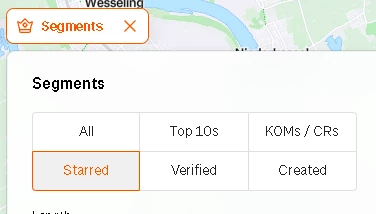
You can let it show only your starred segments: 


Forum|alt.badge.img+1
  • Author
  • Hub Rookie
  • March 16, 2026

Nice! Thank you! How about on the mobile version though? 

I love this list view on the mobile app.


  • Answer
  • March 17, 2026

Hi ​@ally oh 

Thanks for your message! The Hub has transitioned into a developer-focused space for conversations related to our API and resources for our developer community. 

If you’re looking for technical support, check out this resource:

Looking for technical support or to request a feature? Here’s how.