Answered

Strava widgets embedded on website stopped working since 20 jan 2026

  • January 22, 2026
  • 40 replies
  • 953 views

Forum|alt.badge.img+1

Hello,

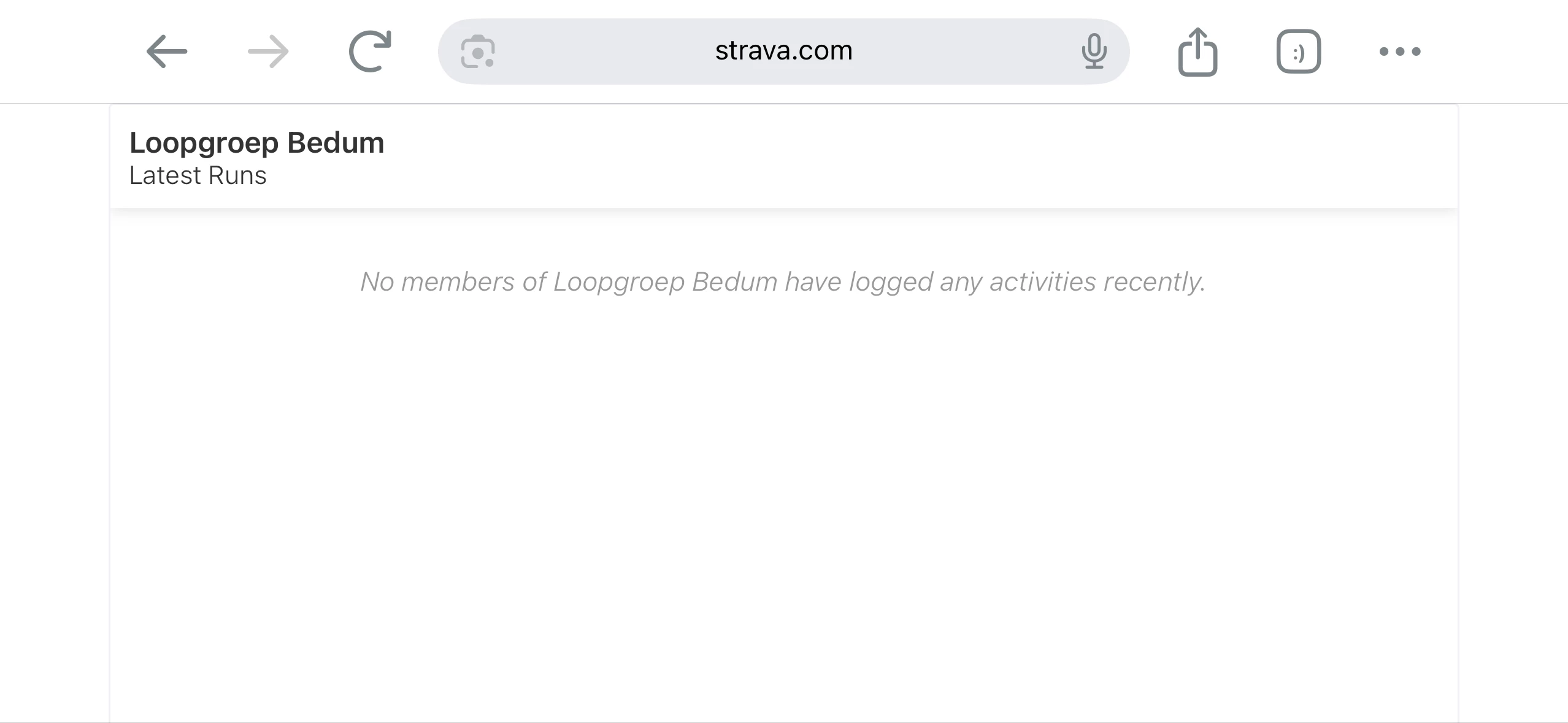
I’m the developer/webmaster for my local crunning club’s website. We have Strava widgets embedded, which display correctly until 20 january 2026.

After that the embedded widget stopped working without any changes on our webside.

The link for the widget is:

<iframe allowtransparency frameborder='0' height='454' scrolling='no' src='https://www.strava.com/clubs/72616/latest-rides/4e72e3dae2a547b8fd60c97df3532eb6bfdfa1ae?show_rides=true' width='220'></iframe>

The link after src=' is working correctly in a browser.

Message (in dutch) is below.

Is there a solution? Has something changed after 20 january 2026?

Best regards,

Peter

===== MESSAGE =====

Onze excuses, deze blijft rood.

De pagina waar je naar op zoek bent, bestaat niet, maar dit is niet het einde. Hier zijn een paar opties:

Best answer by Emily_A

Hi folks! Appreciate your patience here. This should now be resolved. If you’re still experiencing issues, please reach out to our Support team so we can centralize those impacted. Thanks! 

40 replies

Jana_S
Forum|alt.badge.img+29
  • Hub Superuser Alumni
  • January 22, 2026

Hi ​@Peter Hulst,

I’m not really using widgets but I tried the URL from your embed code. And, interestingly, when I’m logged in, I can see a list of activities - but when I'm logged out of Strava in the browser, I’m getting this:


Any chance that the club’s privacy settings have changed..?


Forum|alt.badge.img+5
  • Hub Explorer
  • January 23, 2026

I only noticed this because of checking Strava Community Hub and seeing OP’s complaint.


Indeed, I go and check my inline skating club’s homepage, and the embedded Strava widget is saying…


Sorry, this one stays red.

The page you’re looking for doesn’t exist, but you’re not at a dead end. Here are a few options:


Forum|alt.badge.img+5
  • Hub Explorer
  • January 23, 2026

Doublechecking the Safari debug console when my club’s website, I am seeing the following that looks pertinent to the issue:


Forum|alt.badge.img
  • Hub Starter
  • January 23, 2026

Same i get here. Try to change the string in the iframe like other widgets which work but no result.


Forum|alt.badge.img

Bonjour 

J´ai le même problème sur le widget Strava sur la page d´acceuil de mon forum, et le même message d'erreur. 


Forum|alt.badge.img
  • Hub Starter
  • January 23, 2026

Same for me on the website of my club. i’ve got an error message instead of the club activities.


Forum|alt.badge.img+5
  • Hub Explorer
  • January 24, 2026

I tried filing an issue with support about this last night, but the response today was a nothing burger linking to a few pages in the help pages that were of nouse.


  • Hub Starter
  • January 24, 2026

Both Strava embedded wigets not working 

https://www.vclongeaton.com/

Sorry, this one stays red.

The page you’re looking for doesn’t exist, but you’re not at a dead end. Here are a few options:


Jana_S
Forum|alt.badge.img+29
  • Hub Superuser Alumni
  • January 24, 2026

I tried filing an issue with support about this last night, but the response today was a nothing burger linking to a few pages in the help pages that were of nouse.

Reply to that saying it's not resolved. It seems they're trying to send some auto-response to every request in a hope it would actually resolve the question, and only if that's not it, an actual human would have a look at the ticket...


Forum|alt.badge.img

Bonjour 

Le problème persiste encore aujourd'hui 

Merci pour vos solutions 


Forum|alt.badge.img
  • Hub Starter
  • January 24, 2026

I have the same issue. And I cannot remember/find the widget code that I had copied in my website from Strava. Is that possible that Strava does not allow to share the club data anymore ? 


Forum|alt.badge.img+1
  • Author
  • Hub Rookie
  • January 24, 2026

Hello ​@jlnva the share code is still there. You need to have admin right for the club to see it. In the past this admin rights were not necessarily. However the code share is the same as previously and does not work yes.


Forum|alt.badge.img+1
  • Author
  • Hub Rookie
  • January 24, 2026

Hello to all. When sharing code from my individual time timeline, everything works as expected. For a club it does not work yet.


Forum|alt.badge.img
  • Hub Starter
  • January 24, 2026

I just noticed the widget was not loading and added a fallback in react to show a link to the strava club. 

Here’s what I did (typescript):

const StravaWidget = () => {
const [isLoading, setIsLoading] = useState(true);
const [error, setError] = useState(false);
const iframeRef = useRef<HTMLIFrameElement>(null);
const timeoutRef = useRef<NodeJS.Timeout | null>(null);

useEffect(() => {
const handleMessage = (event: MessageEvent) => {
// Verify the message is from Strava
if (event.origin !== 'https://www.strava.com') return;

// If we receive any message from Strava, the widget is working
setIsLoading(false);
setError(false);

// Clear the timeout since we got a response
if (timeoutRef.current) {
clearTimeout(timeoutRef.current);
timeoutRef.current = null;
}
};

// Listen for postMessage from Strava iframe
window.addEventListener('message', handleMessage);

// Set a timeout - if we don't hear from Strava in 5 seconds, show error
timeoutRef.current = setTimeout(() => {
setIsLoading(false);
setError(true);
}, 5000);

return () => {
window.removeEventListener('message', handleMessage);
if (timeoutRef.current) {
clearTimeout(timeoutRef.current);
}
};
}, []);

if (error) {
return (
<div className="flex flex-col items-center justify-center h-40 text-gray-600">
<p className="mb-2">Strava widget temporarily unavailable</p>
<a
href="https://www.strava.com/clubs/<your-clud-id>"
target="_blank"
rel="noopener noreferrer"
className="text-blue-600 hover:text-blue-800 underline"
>
View our club activities on Strava →
</a>
</div>
);
}

return (
<div className="text-center">
{isLoading && (
<div className="flex items-center justify-center h-40">
<CircularProgress />
</div>
)}
<iframe
ref={iframeRef}
height="160"
src="https://www.strava.com/clubs/<your-club-id>/latest-rides/<unique-id>?show_rides=false"
style={{display: isLoading ? 'none' : 'block'}}
title="Strava Club Widget"
width="300"
/>
{!isLoading && !error && (
<div className="mt-2 text-sm text-gray-600">
<a
href="https://www.strava.com/clubs/<your-club-id>"
target="_blank"
rel="noopener noreferrer"
className="text-blue-600 hover:text-blue-800 underline"
>
View full activities on Strava →
</a>
</div>
)}
</div>
);
};


Forum|alt.badge.img
  • Hub Starter
  • January 24, 2026

I have the same issue. And I cannot remember/find the widget code that I had copied in my website from Strava. Is that possible that Strava does not allow to share the club data anymore ? 

Why would they share the widget? I can view the club activities when logged out. 


Forum|alt.badge.img
  • Hub Starter
  • January 28, 2026

Same for me on the website of my club too. I’ve got an error message instead of the club activities. 

Does anyone have a working solution?


Forum|alt.badge.img
  • Hub Starter
  • January 29, 2026

Yes I have the same problem on both of our cycling club sites. I've tried reentering the link details but its the same.  Come on Strava, please look into this.


Jana_S
Forum|alt.badge.img+29
  • Hub Superuser Alumni
  • January 29, 2026

All, considering the announcement about this hub, each of you might want to submit a support ticket, as we probably won't get more updates here. 😢

Here’s how: https://support.strava.com/hc/en-us/articles/216917777-How-Do-I-Contact-Strava-Support


Forum|alt.badge.img
  • Hub Starter
  • January 29, 2026

"Bug Report" Does anyone have a working solution for this bug?


Forum|alt.badge.img+5
  • Hub Explorer
  • January 30, 2026

I got another response from Strava Support on Thursday saying that they “are aware of this issue and are working on solving it as quickly as possible.”


Forum|alt.badge.img+1
  • Author
  • Hub Rookie
  • January 30, 2026

Hi ​@Peter Hulst,

I’m not really using widgets but I tried the URL from your embed code. And, interestingly, when I’m logged in, I can see a list of activities - but when I'm logged out of Strava in the browser, I’m getting this:


Any chance that the club’s privacy settings have changed..?

No the settings including privacy are  not changed.


Forum|alt.badge.img
  • Hub Starter
  • February 2, 2026

I got another response from Strava Support on Thursday saying that they “are aware of this issue and are working on solving it as quickly as possible.”

Yep I got one letting me know it’s a known issue. I’m sure it’s on the backlog and they’ll get to it whenever something less pressing is happening. If you are a software dev the answer is never; there is always an emergency. This is what I received. I hope everyone is sending in support requests. 


Thank you for bringing this to our attention. We've investigated the situation you described and determined that you've encountered a known issue our team is actively tracking. We've captured the details of your situation and account to aid in our ongoing investigation.
 
While we are unable to provide an exact resolution timeframe at this moment, please be assured that we are doing our best to address this issue as quickly as possible. We truly appreciate your patience and understanding as we work towards a solution.


Forum|alt.badge.img
  • Hub Rookie
  • February 3, 2026

Hello,

I’m the developer/webmaster for my local crunning club’s website. We have Strava widgets embedded, which display correctly until 20 january 2026.

After that the embedded widget stopped working without any changes on our webside.

The link for the widget is:

<iframe allowtransparency frameborder='0' height='454' scrolling='no' src='https://www.strava.com/clubs/72616/latest-rides/4e72e3dae2a547b8fd60c97df3532eb6bfdfa1ae?show_rides=true' width='220'></iframe>

The link after src=' is working correctly in a browser.

Message (in dutch) is below.

Is there a solution? Has something changed after 20 january 2026?

Best regards,

Peter


I’m running into the exact same issue as well. We also have Strava club widgets embedded on our culver menu site, and they were working perfectly fine up until around January 20, 2026. Since then, the iframe no longer displays anything, even though the direct Strava URL still loads correctly when opened in a browser.

We didn’t make any changes on our end either, which makes it feel like something changed on Strava’s side (maybe iframe restrictions, embed permissions, or CSP updates). I’m also looking for clarification on whether Strava officially deprecated or modified these widgets and if there’s a supported alternative or workaround available now.


vegantrackie
Forum|alt.badge.img+1
  • Hub Rookie
  • February 6, 2026

Same, it’s been bugged for a while, and looks like Strava is in no rush to fix this.


I have this widget in a few spots on my events site, and promote my Strava group.


Thanks for the ‘professional’ look, Strava.


Forum|alt.badge.img
  • Hub Starter
  • February 6, 2026

ok, seems Strava is not planning to fix this at this point.

I will remove the widget from my club web site, no choice….